
How to Verify Your Identity and Add Credit Card in Google Ads
Verify Your Identity and Add Credit Card in Google Ads
Note : User should complete these steps in the incognito window.
Please click below to see the steps:
1) How to Add Credit Card in Google Ads Account (Click here to see the steps)
2) How to Verify your identity for Google Ads (Click here to see the steps)
How to Add Credit Card in Google Ads Account
Open a new Private/Incognito window in your browser (for e.g. Google Chrome or Firefox, etc)
Once you received the invite email from Google Ads. Please click on the “Invite” button.
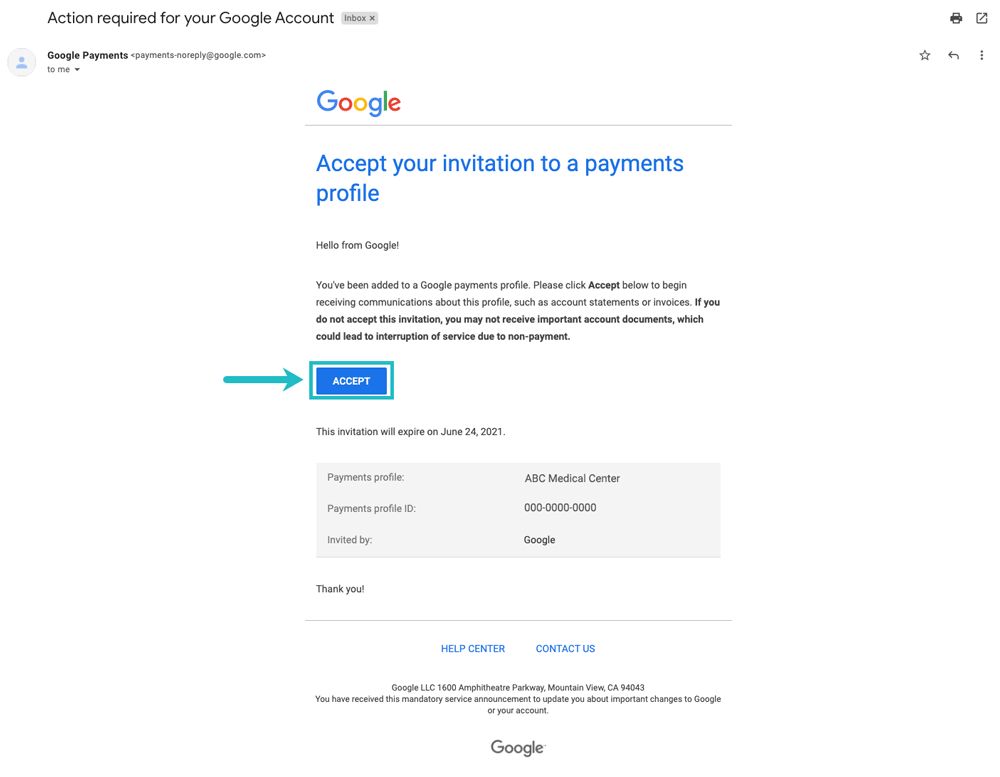
Then click on the “Accept”.
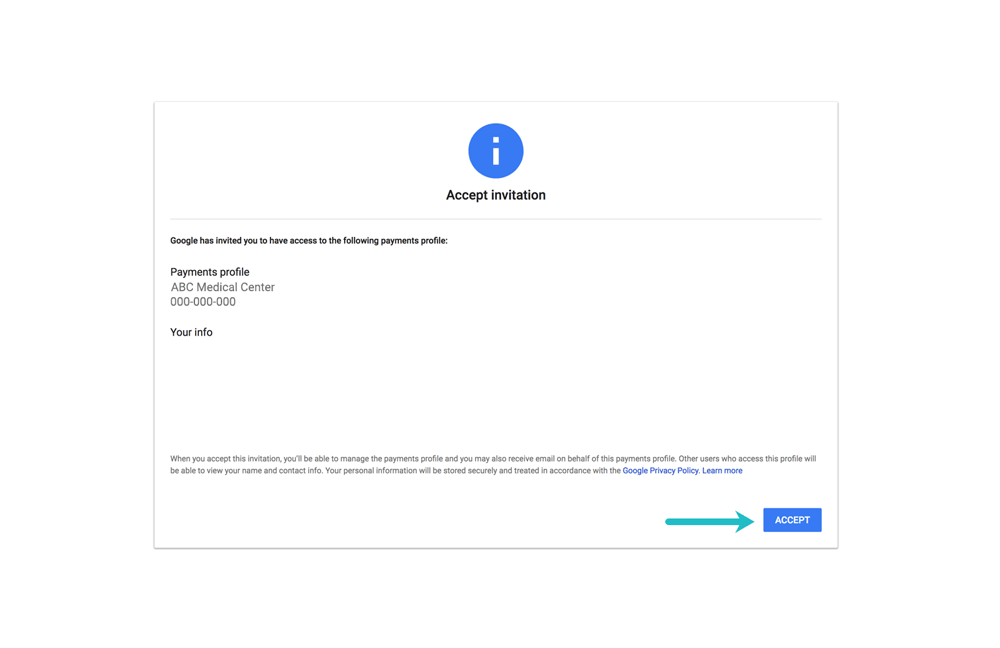
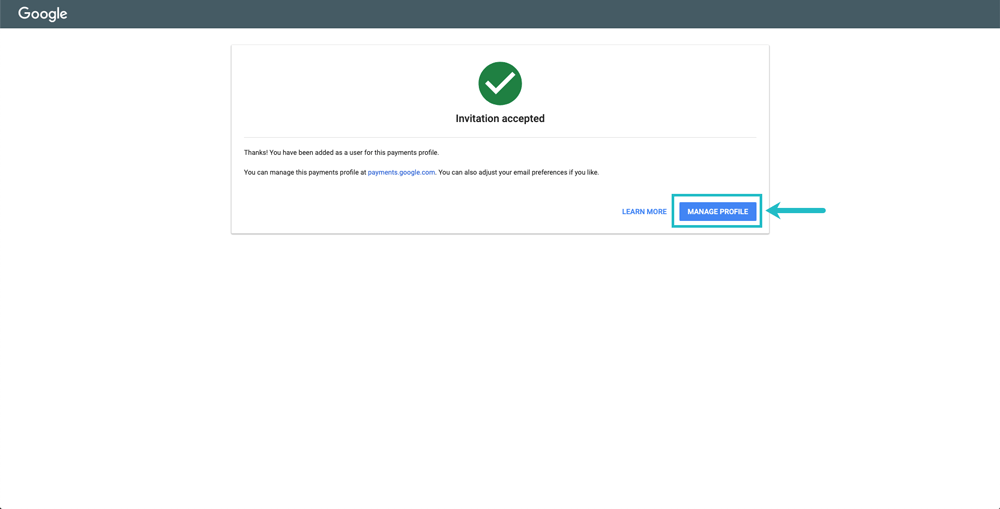
Now, Click on the “Manage Profile”.
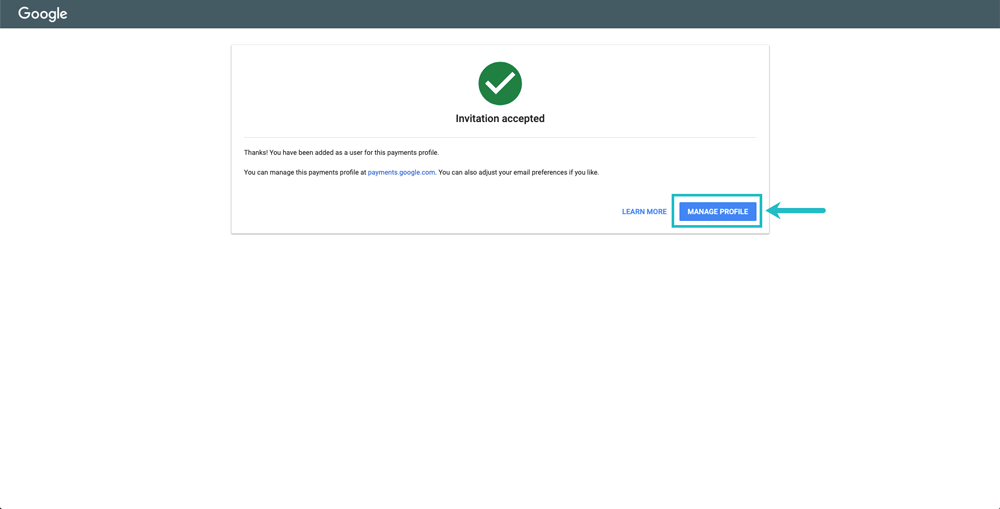
Then, Click on “Manage”.
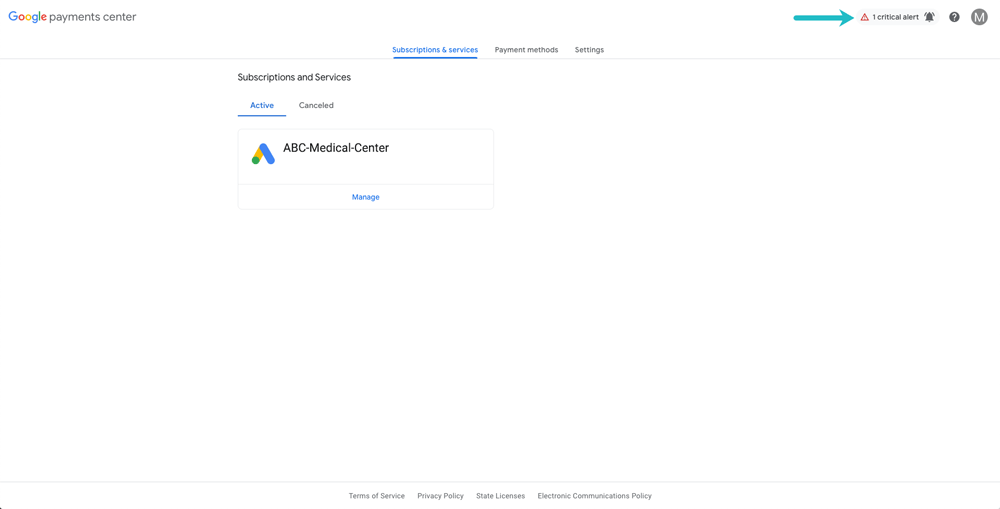
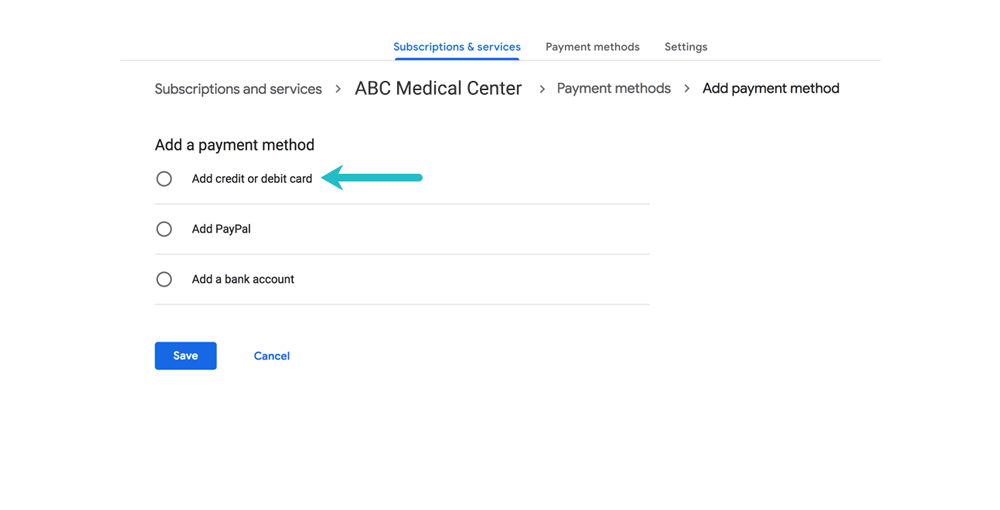
Now, Click on “Add Payment Method” button.
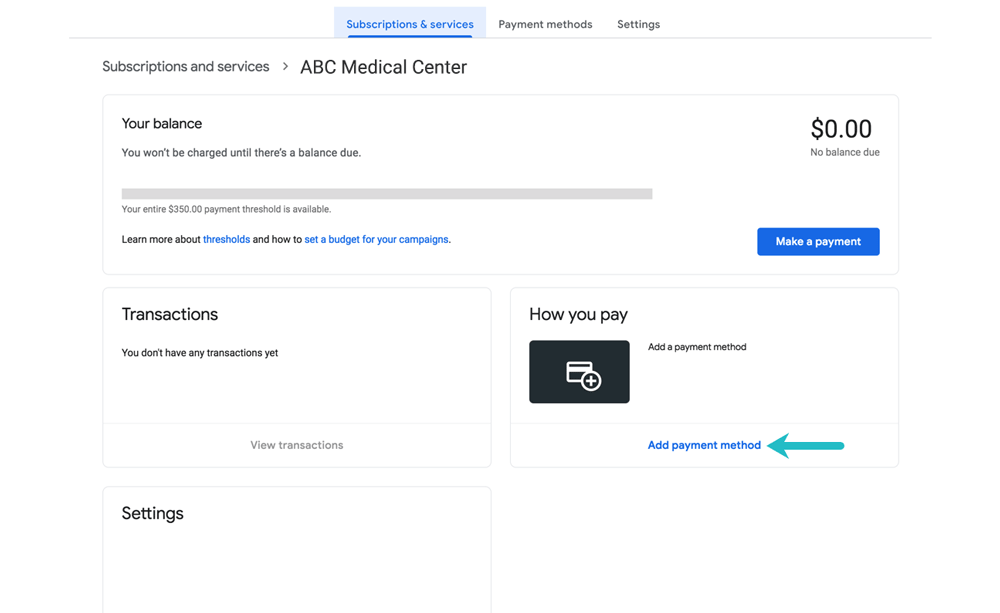
Then, Select first option “Add credit or debit card” and click on save.

How to Verify your Identity for Google Ads
Open a new Private/Incognito window in your browser (for e.g. Google Chrome or Firefox, etc)
Once you received the invite email from Google Ads. Please click on the “Invite” button.
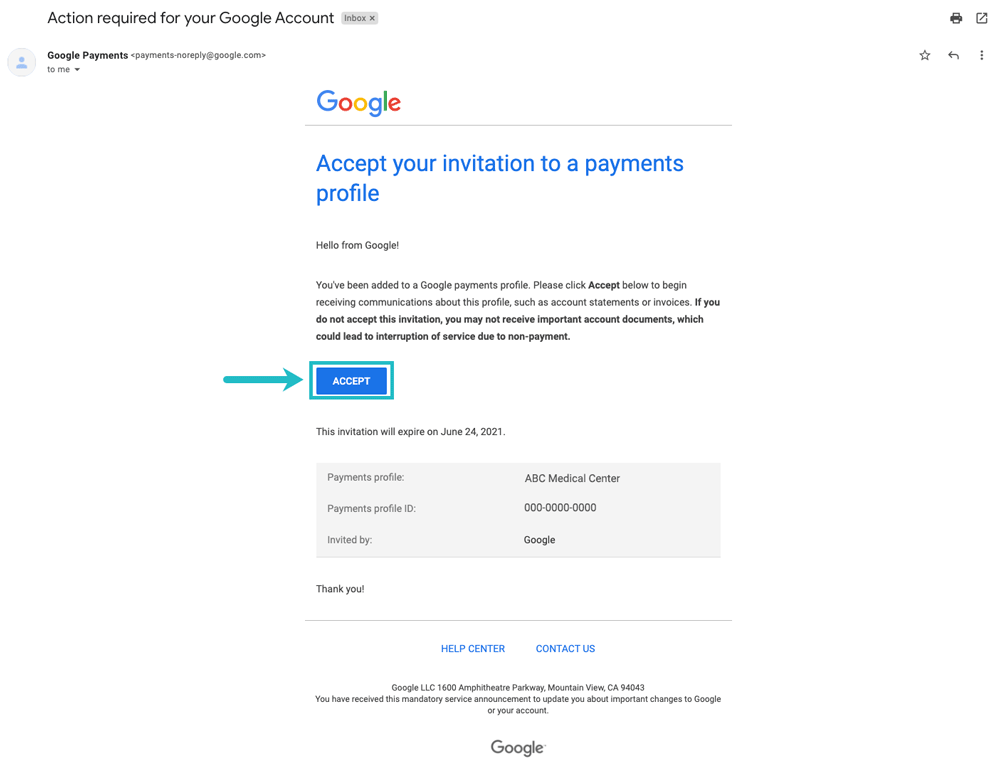
Once you accept the invite. Then, click on the “Manage profile”.
Then – Click on the “Critical Alert” from the top right corner.
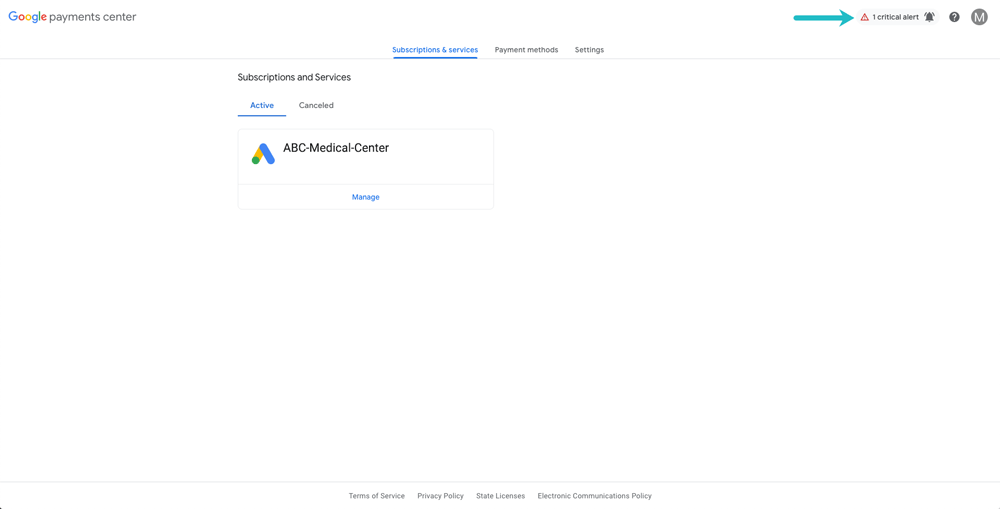
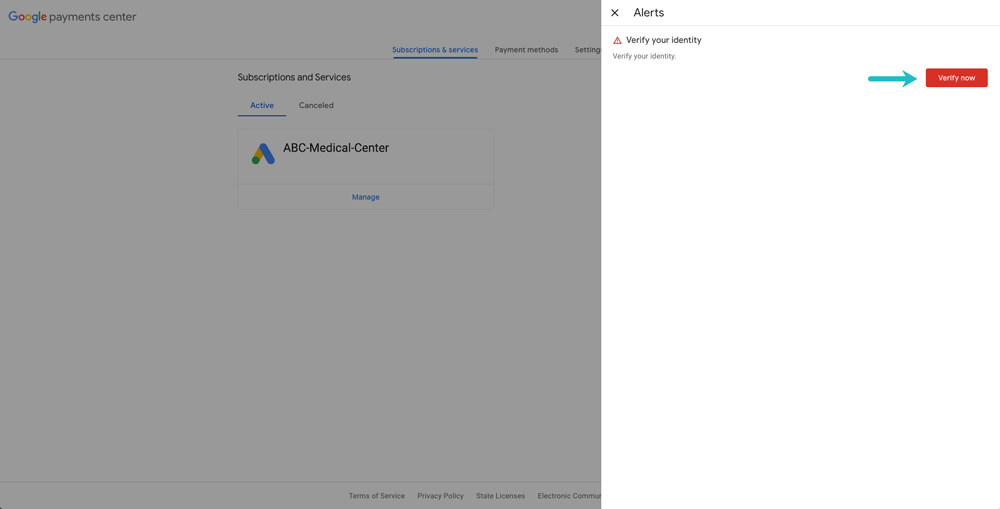
Now – click on “Verify Now”.
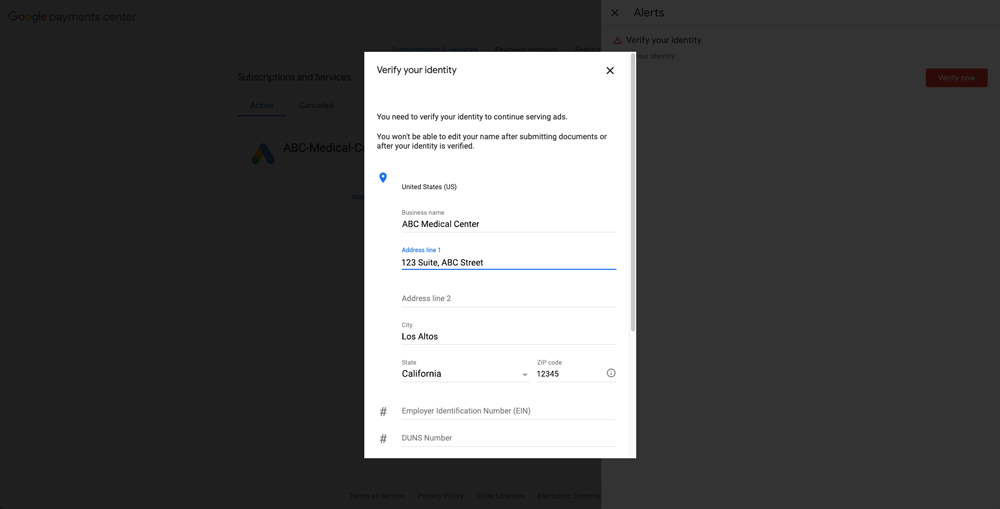
Then, Fill in your complete business details and upload the documents.
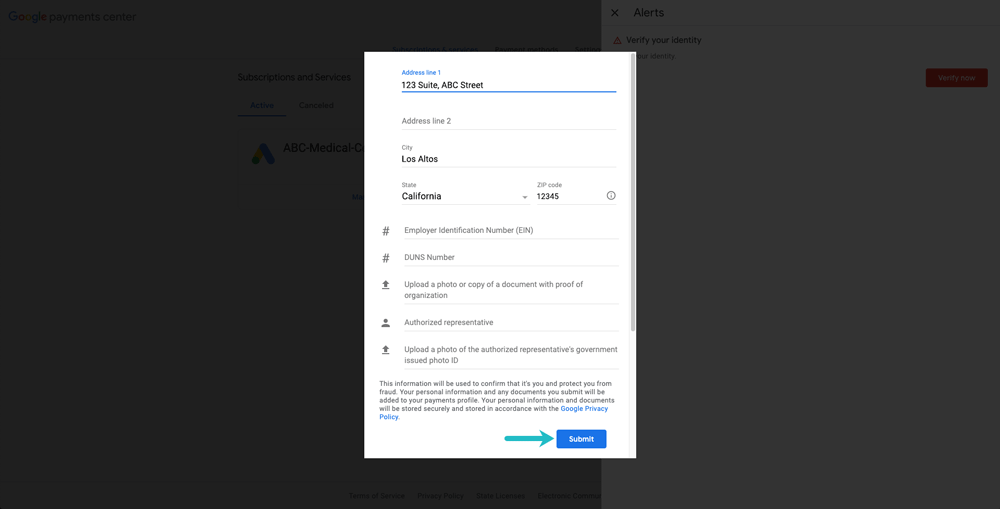
Once you have uploaded all the documents – Then click on “Submit”.
Then – Please inform your Project Manager and your Advertising person through email.
