
How to Give Delegate Access to PatientGain Technical Staff of GoDaddy Domain
Give Delegate Access to PatientGain Technical Staff of GoDaddy Domain
Step by step instructions:
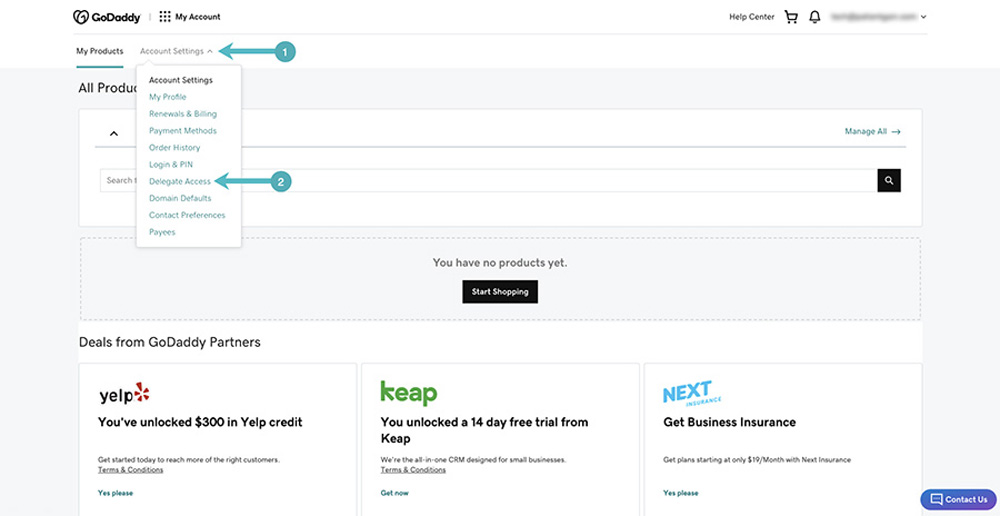
Step 1) Please login to your GoDaddy account and then on the top area – Under Account settings, select “Delegate Access”
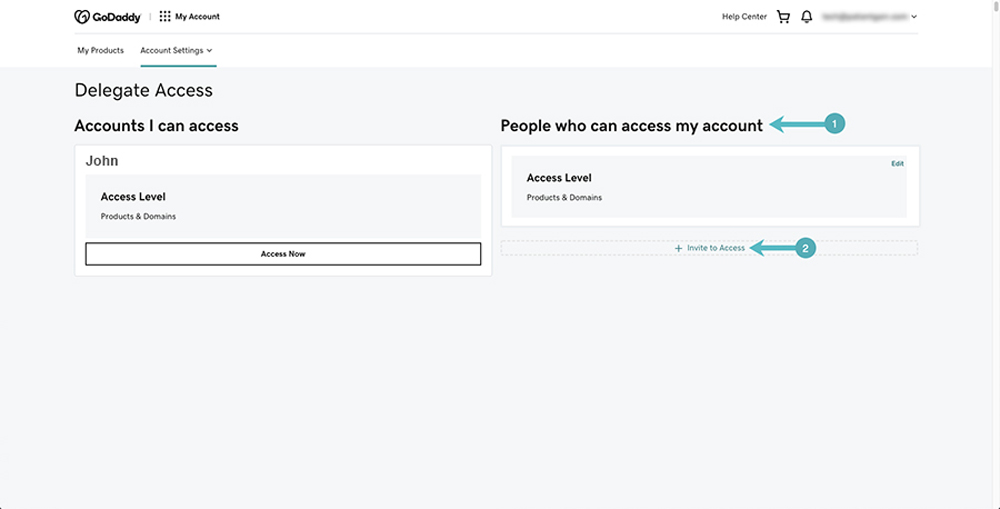
Step 2) Then Click on “Invite to Access”
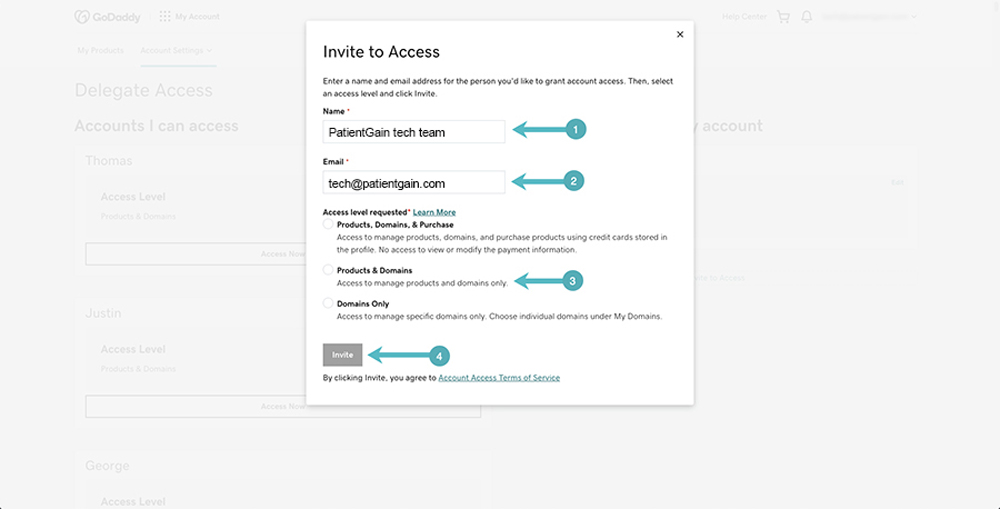
Step 3) Copy and paste the following:
Name: PatientGain tech team
Email: tech@patientgain.com
Select: Products & Domains
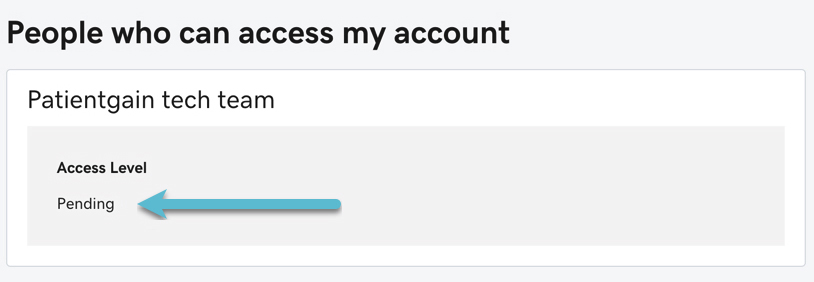
Step 4) If you see the following, then you have completed the steps.
PatientGain staff will get the invitation request.
Once you have completed the above mentioned steps – Please inform at tech@patientgain.com
