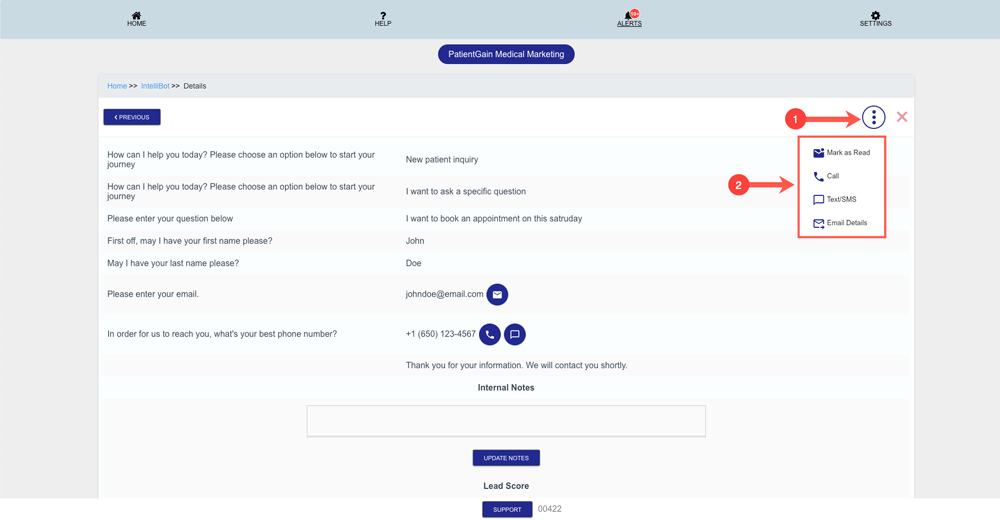
How to Contact Lead in Leads Funnel app
Contact Lead in Leads Funnel app
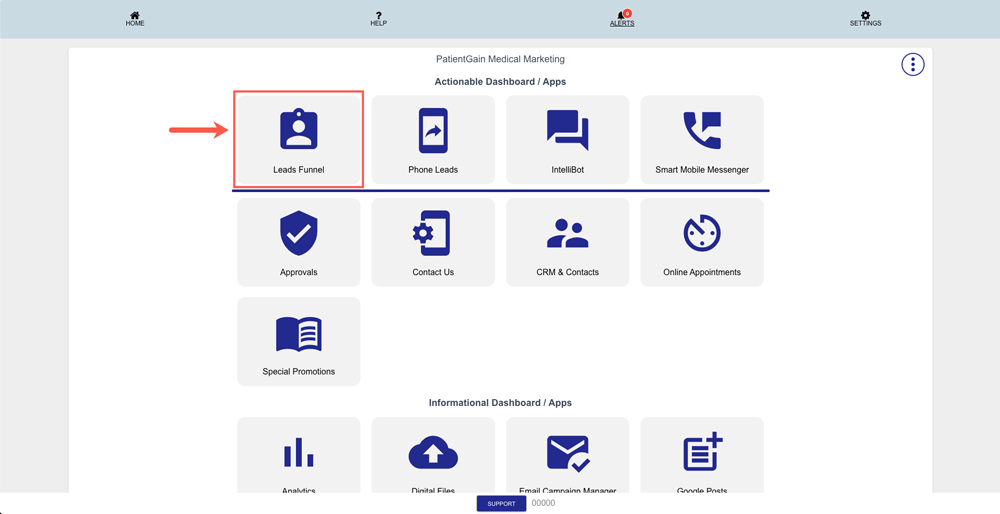
From your Dashboard click on the “Leads Funnel App”.
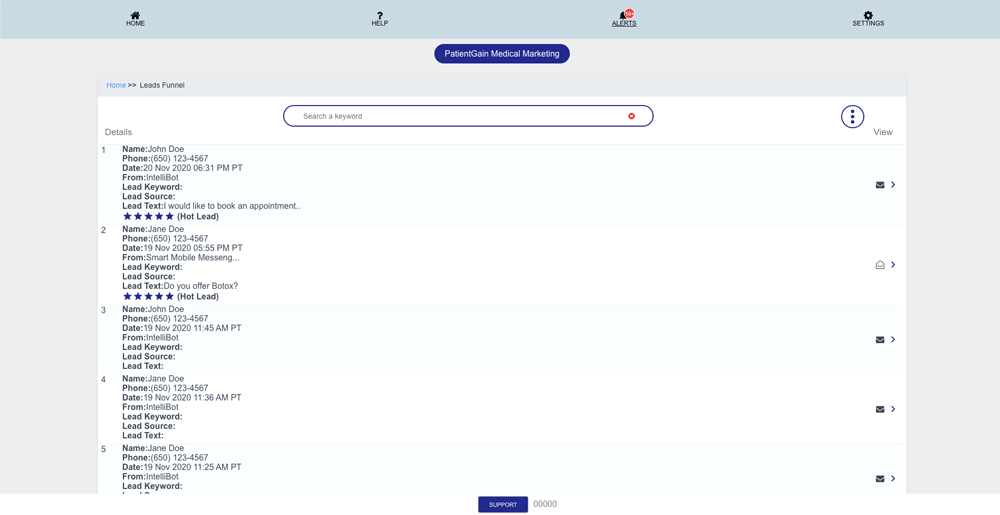
Now, you will see the list of all the Leads.
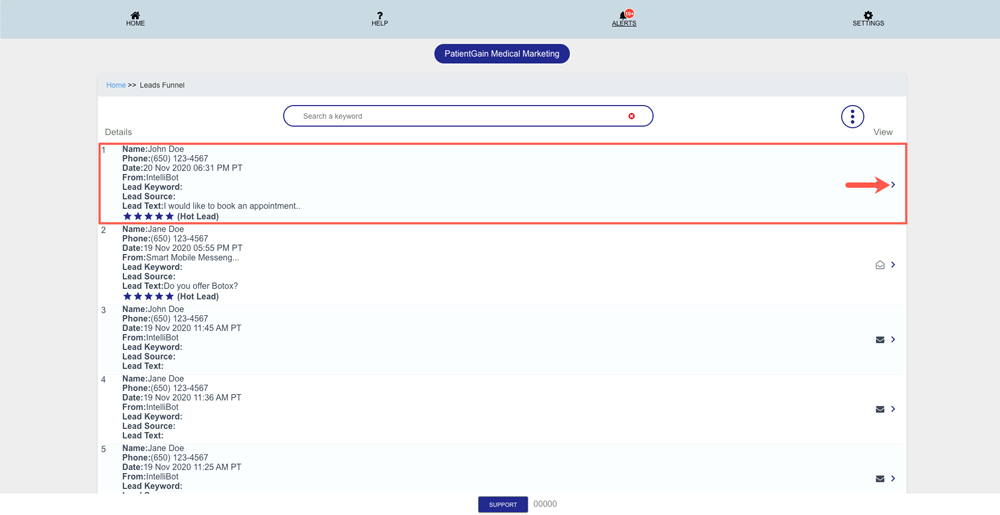
Then, Click on the “View Icon” on the lead you want to contact.
Now, You will see the details of that lead.
(Note: Details page for each app will be different)
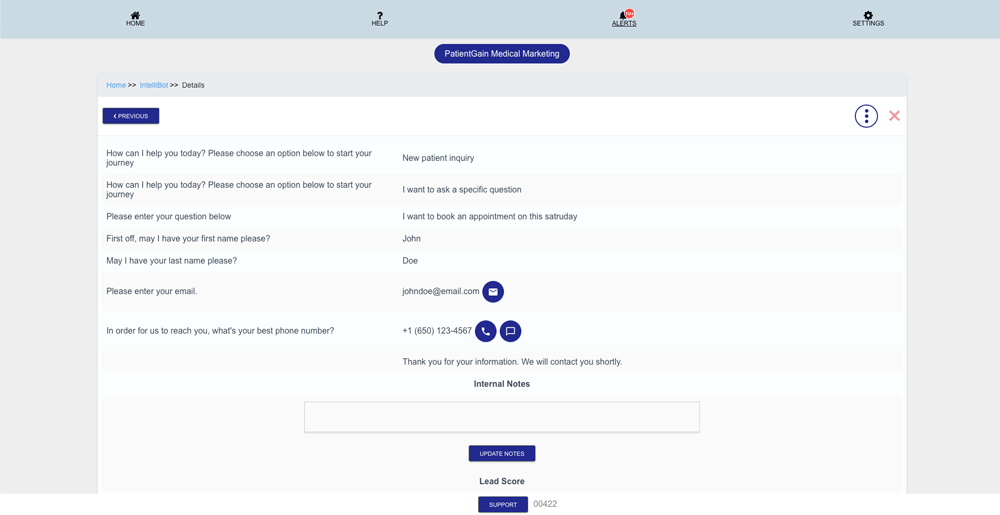
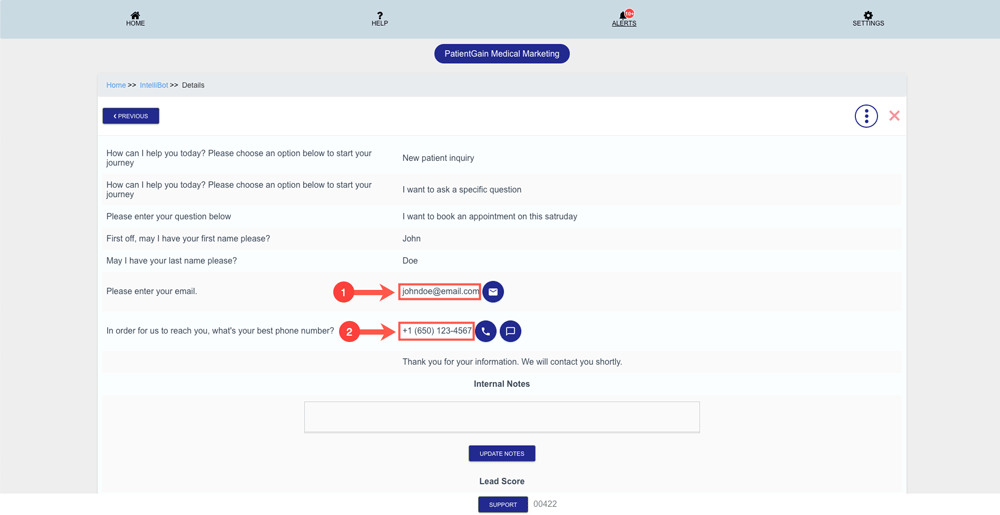
On the details page – You will see the following:
- Email Address of the Patient
- Phone Number of the Patient
Now click on the “More Options” icon from the top right corner and then you will see the following options:
- Mark as Read
- Call
- Text/SMS
- Email Details