How to Check the Performance of Your Marketing
Performance of Your Marketing
1) How to check Performance Report By Month
2) SEO Performance
3) Website Stats (GA4)
First, Login to your HIPAA Server Dashboard and then click on the “Performance” app.
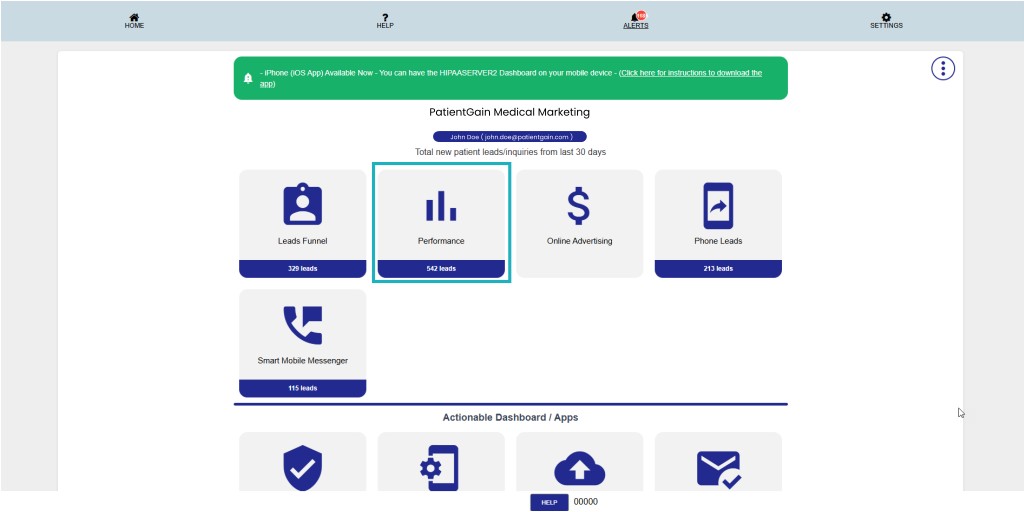
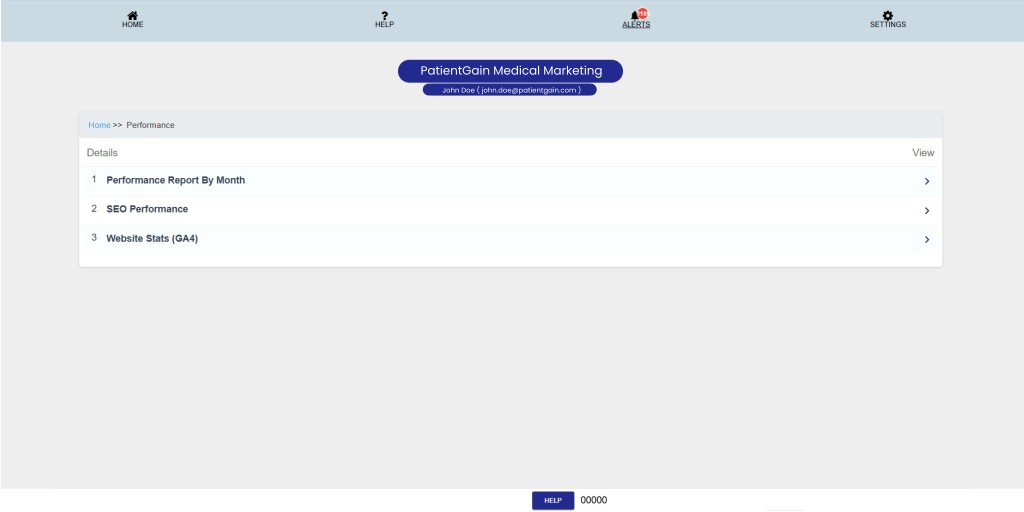
Now on Performance Page – You will see the following options:
- How to check Performance Report By Month
- SEO Performance
- Website Stats (GA4)
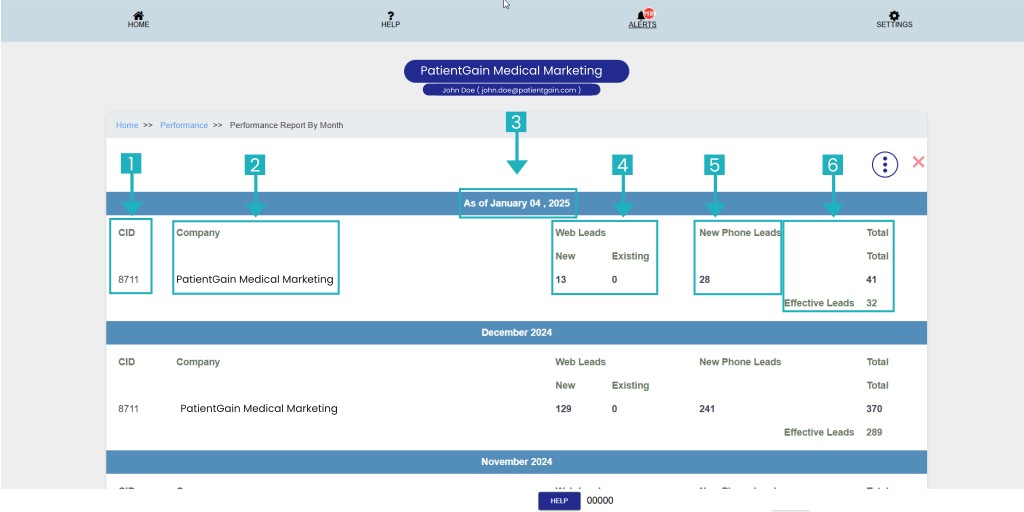
Performance Report By Month:
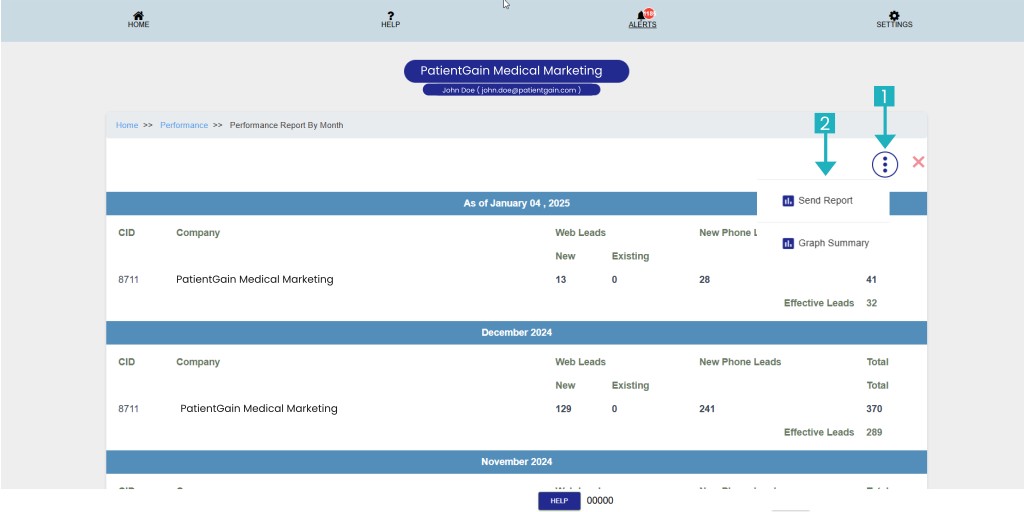
On this page – You will see the details of all your leads in monthly view:
- Company ID: This ID is assign by PatientGain’s Team to each customer.
- Company Name or Location Name: The name of the Company or if you have multiple locations then multiple names will be shown here.
- Month and Year: Name of the month and year display on top of each months details.
- Web Leads: This area shows the total number of leads you have captured from you website in all the apps.
- Phone Leads: This area shows the total number of phone leads you have captured using our Call Tracking number.
- Total Number: This area shows the total number of web leads and phone leads for this month.
Click on the menu button and then click on the “Send Report” option.
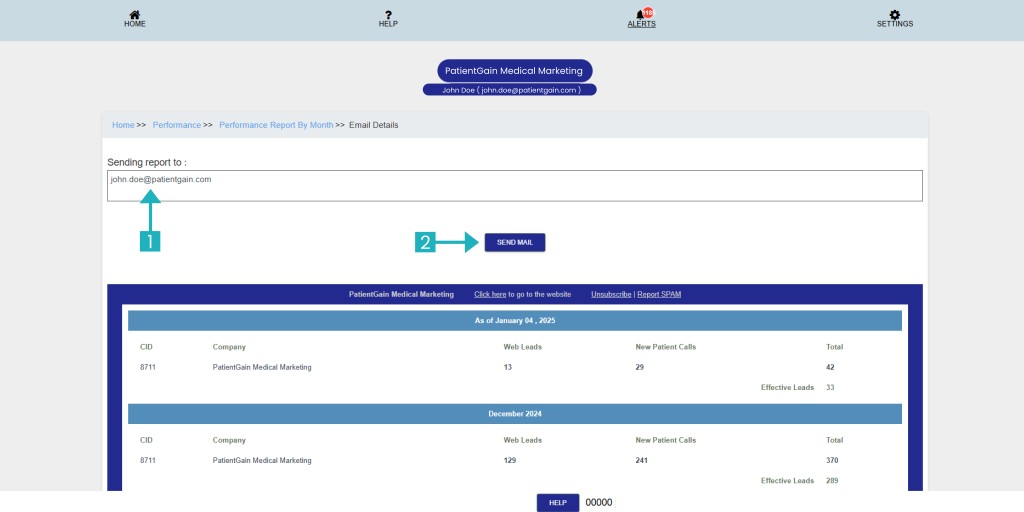
From here, please add your email here and click on the “Send Mail” button to the SEO Performance report by month.
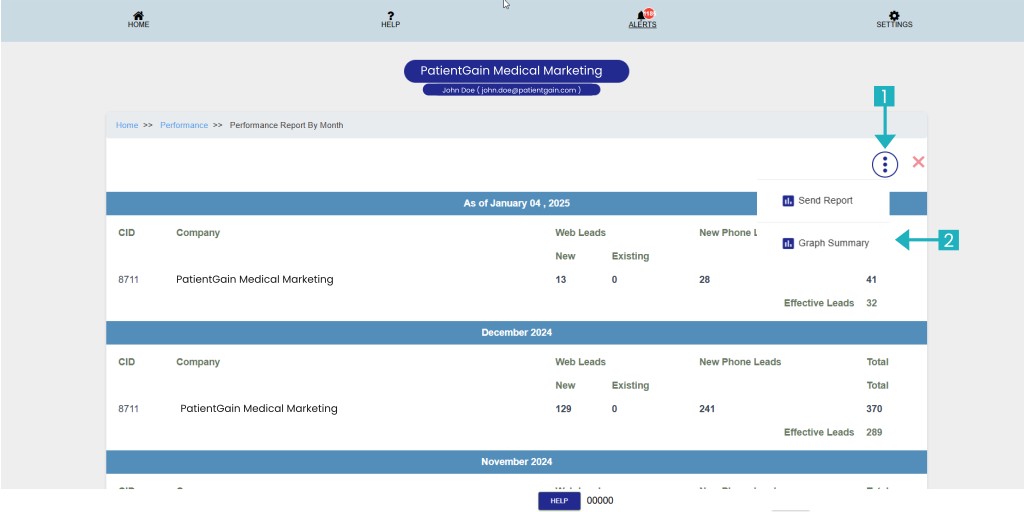
In order to check the Graph summary please click on the menu button and then click on the “Graph Summary” option.
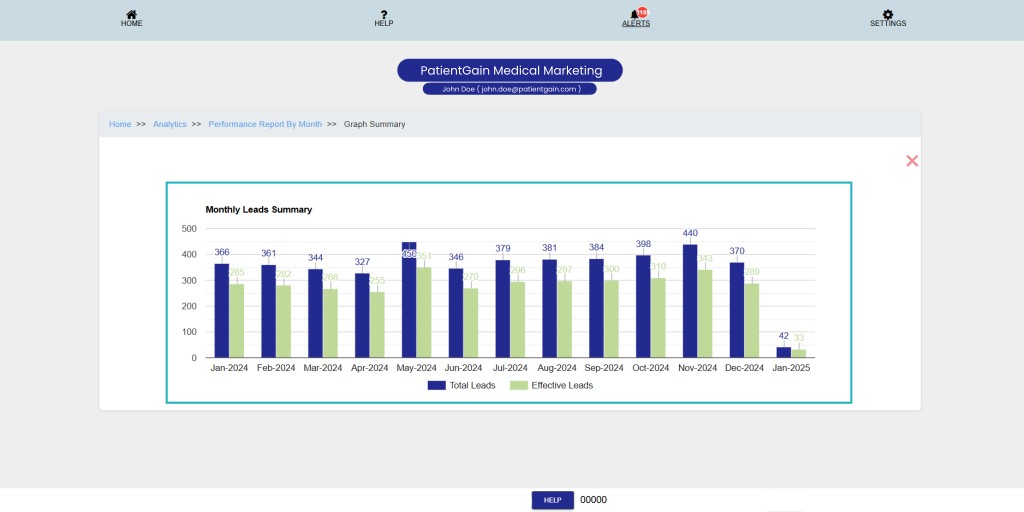
From here you can see the Graph Summary of SEO Performance report by month.
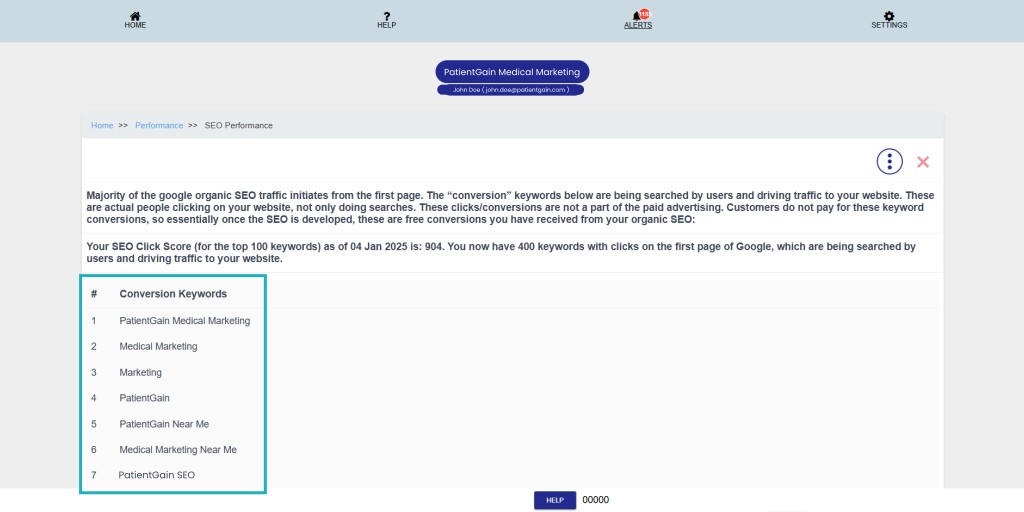
SEO Performance:
Keywords: This area shows the traffic keywords in your site.
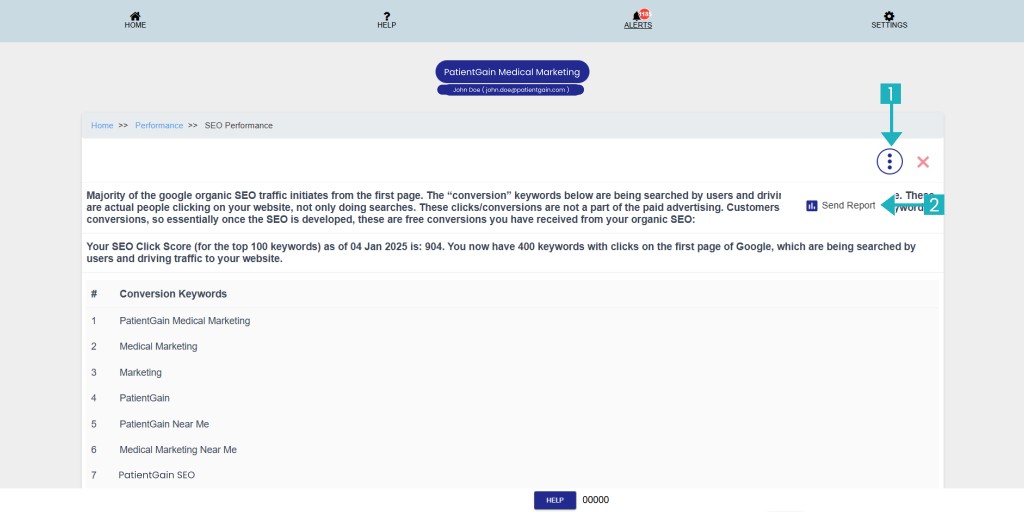
Click on the menu button then click on the “Send Report” option.
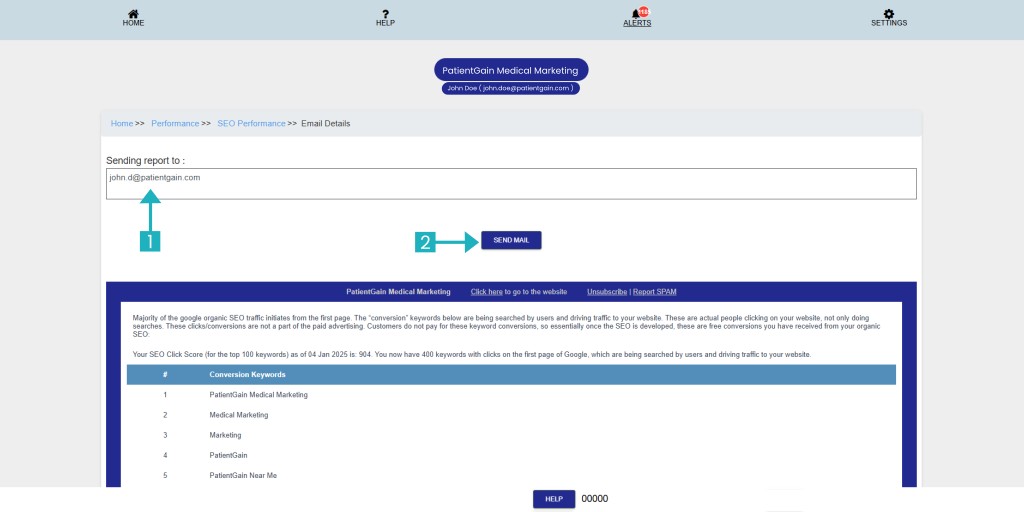
From here please add your email and click on the “Send Mail” button to send the SEO Performance report.
Website Stats (GA4):
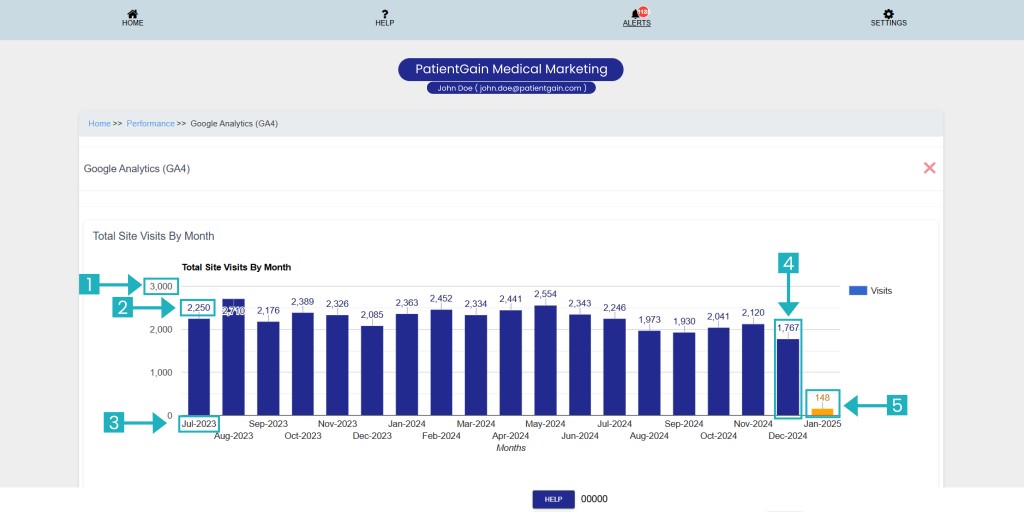
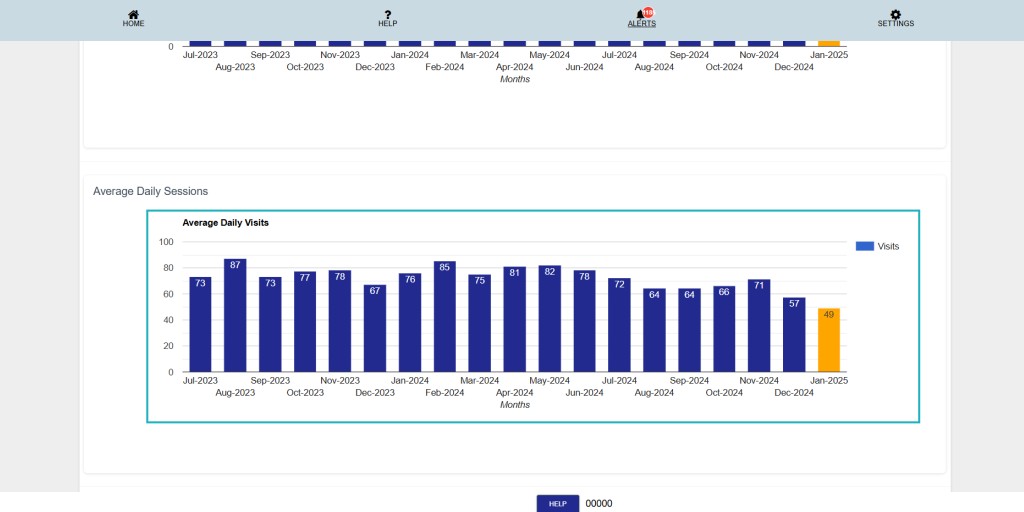
On this page – You will see a Visual Graph of each month website leads. Each bar represents monthly leads for each month.
- This number shows the number of highest web leads you have received this.
- This number shows the number of total leads you have received on that month.
- Name of the Month and Year.
- Blue bars represent the web leads data of the previous month.
- Orange bars represents the web leads data for the current month.
Note: Each bar shows the combine data of Web leads and Website Traffic.
On this section you can see Average Daily Sessions.
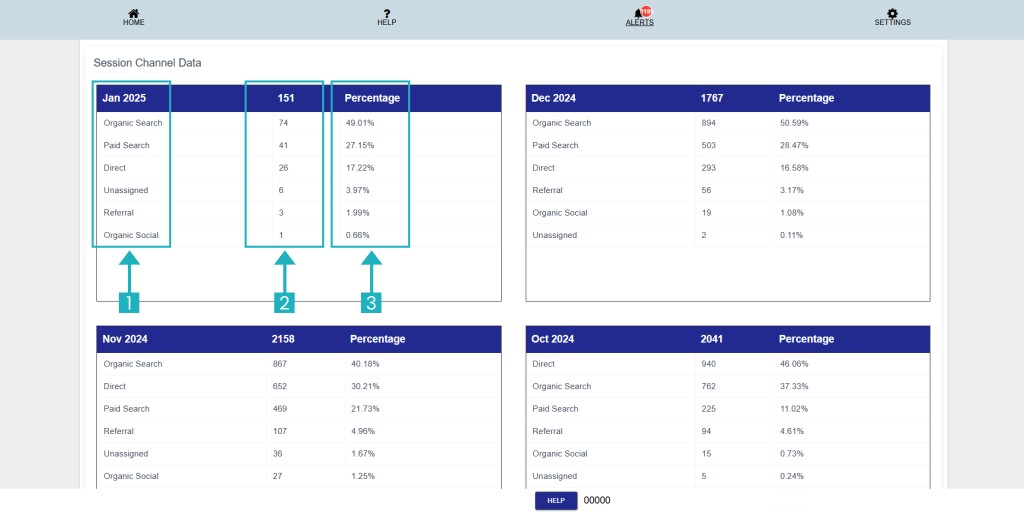
On this section you can see Session Channel Data.
- This number shows your Search result names from different source.
- This number shows the number of total leads you have received.
- This number shows the percentage of your leads.