How to Authorize PatientGain/Logica7 to Setup & Execute Advertising Campaigns
Authorize PatientGain/Logica7 to Setup & Execute Advertising Campaigns
Login to your PatientGain/Logica7 account
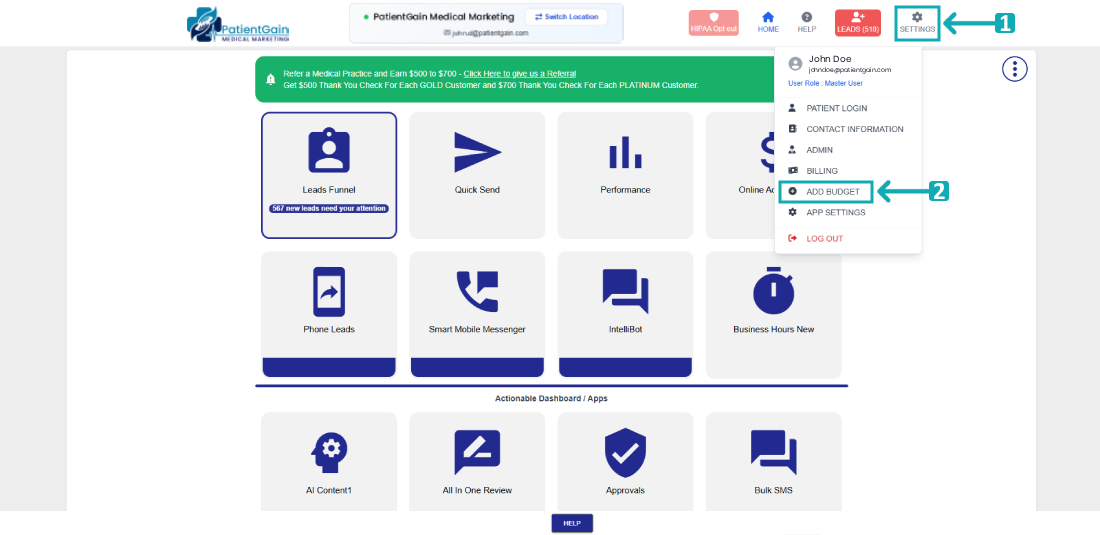
From the Main Dashboard, click on the “Settings” from the top right corner and then click on “Add Budget” from the drop-down menu.
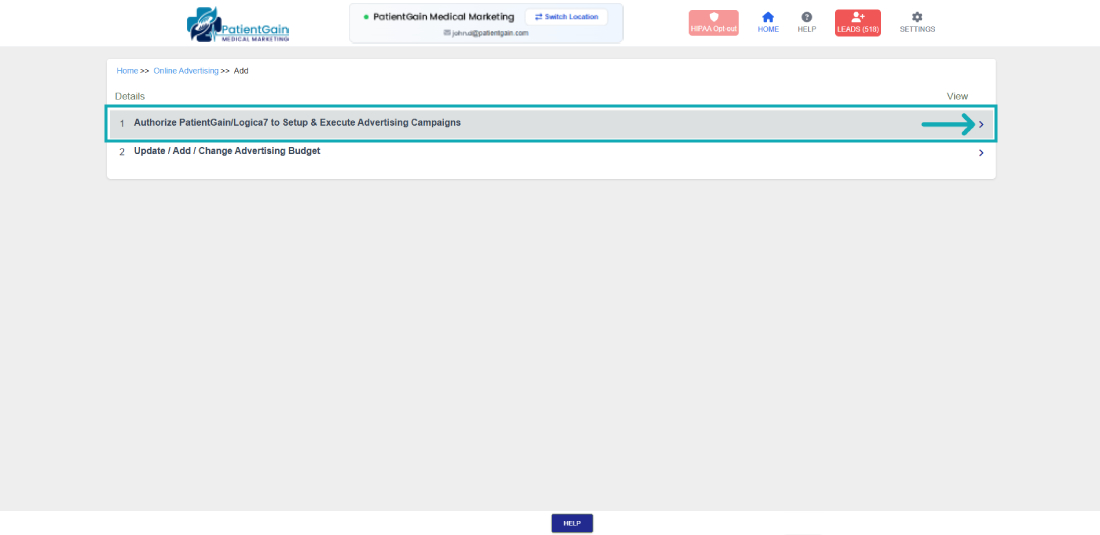
Then click on the first option “Authorize PatientGain/Logica7 to Setup & Execute Advertising Campaigns”.
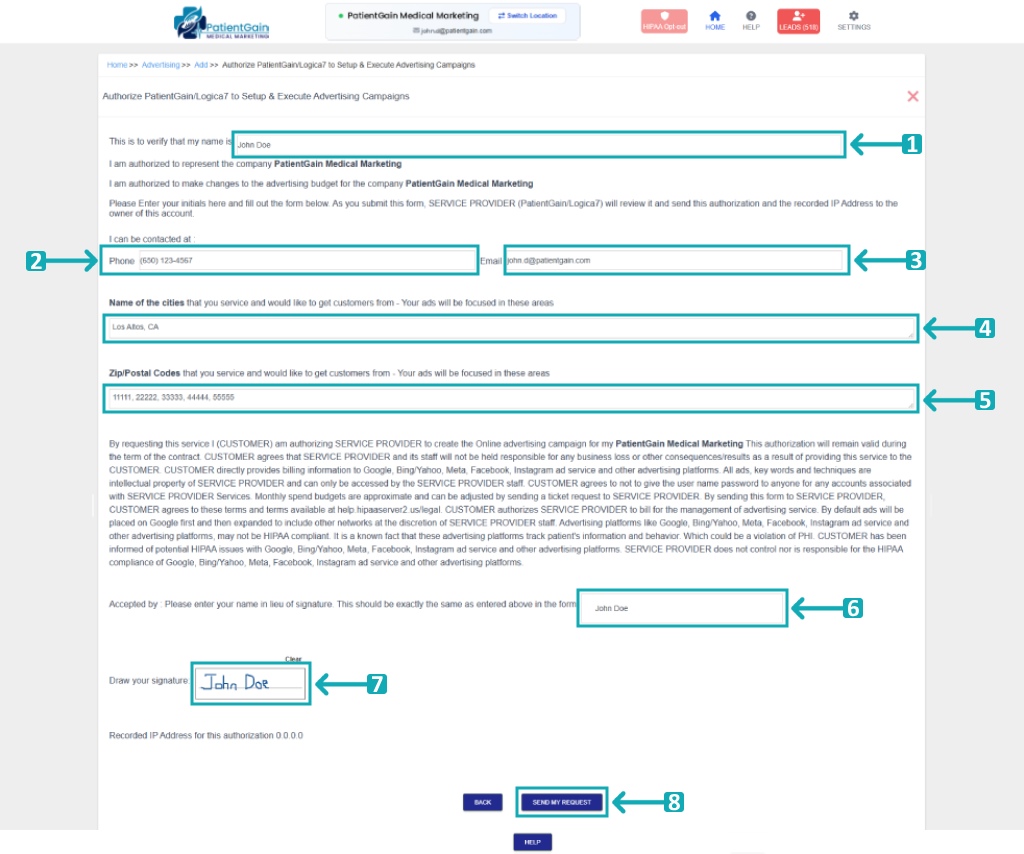
Now you will see the Budget Authorization form – Please fill out the following fields:
- Full name
- Phone number
- Email address
- Name of the cities that you service and would like to get customers from – Your ads will be focused in these areas.
- Zip/Postal Codes that you service and would like to get customers from – Your ads will be focused in these areas.
- Re-Enter you Full name for confirmation
- Signature – Draw you Signature.
- Then Click on the “SEND MY REQUEST” button.