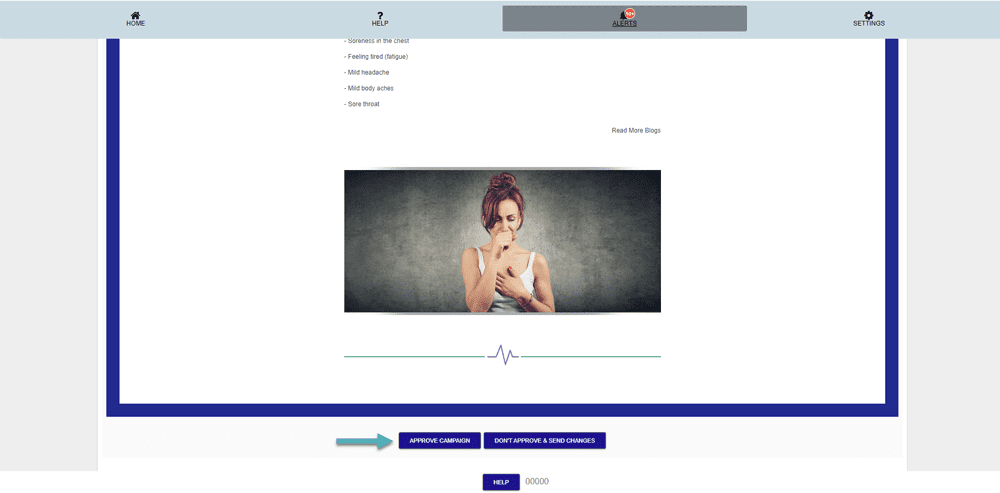
How to Approve Your Email Campaign
Email Campaign App Guide
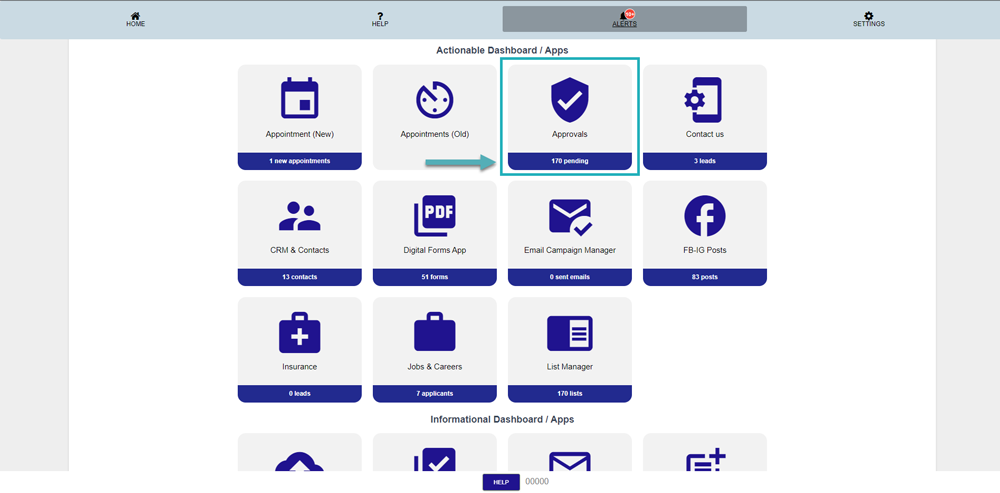
Login into the HS2 dashboard, Click on the “Approvals” to view details.
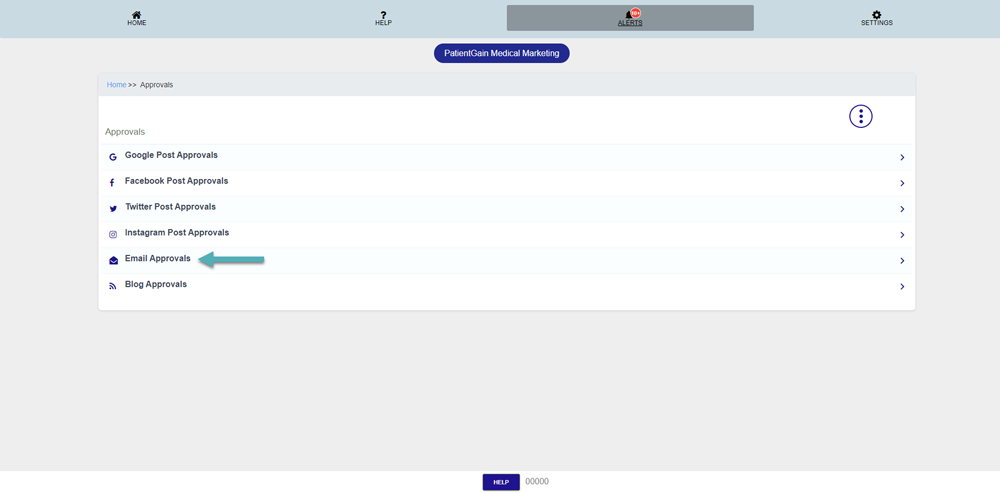
Then click on the “Email Approvals” icon.
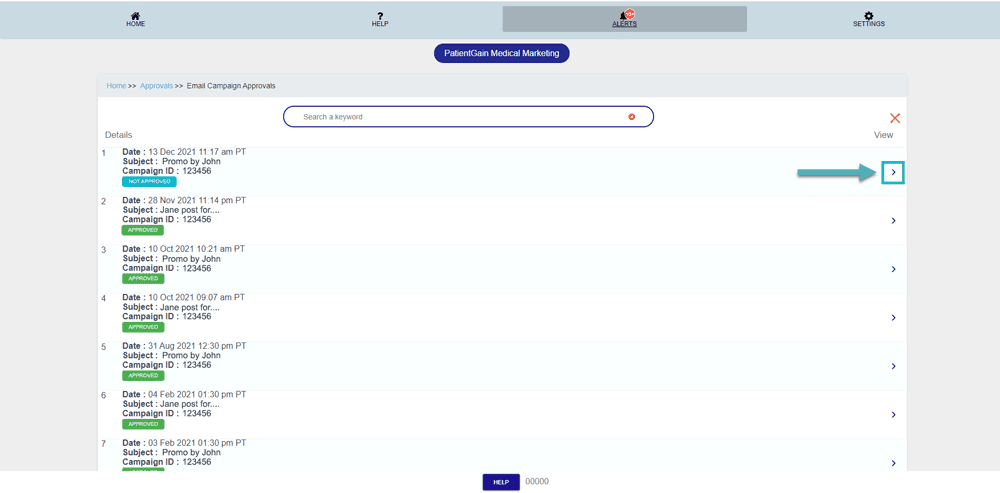
Here you can see the list – click on “Arrow” to view details.
Now you will see the Email Campaign – The responsible person needs to review the newsletter & simply approve it. Once it’s approved, the newsletter will go out to the targeted list.