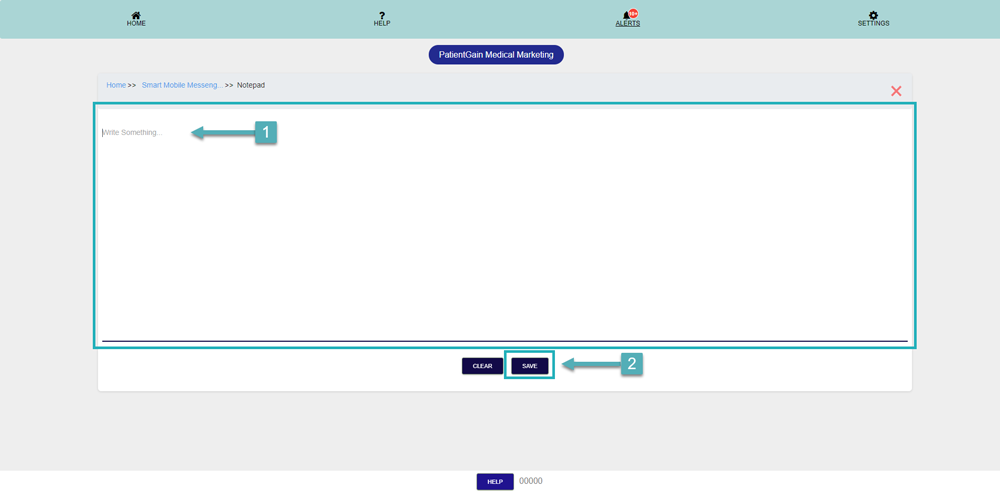
How to Add Notes Using Notepad in Smart Mobile Messenger
Getting important updates from patients has never been easier than with the Smart Mobile Messenger App. With this app patients can send you a text right from your website and you can respond right away from your computer or mobile device.
Add Notes Using Notepad in Smart Mobile Messenger
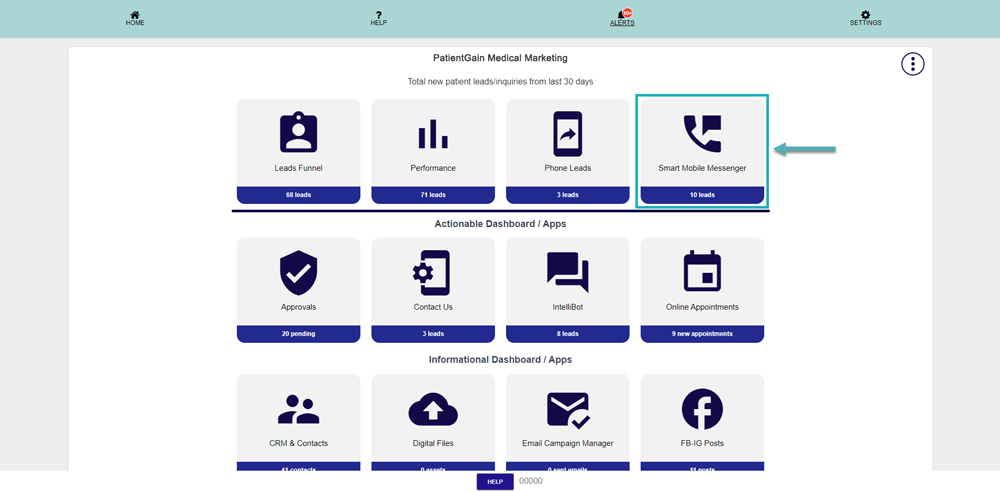
First, Login to your HIPAA Server Dashboard and Click on the “Smart Mobile Messenger” app.
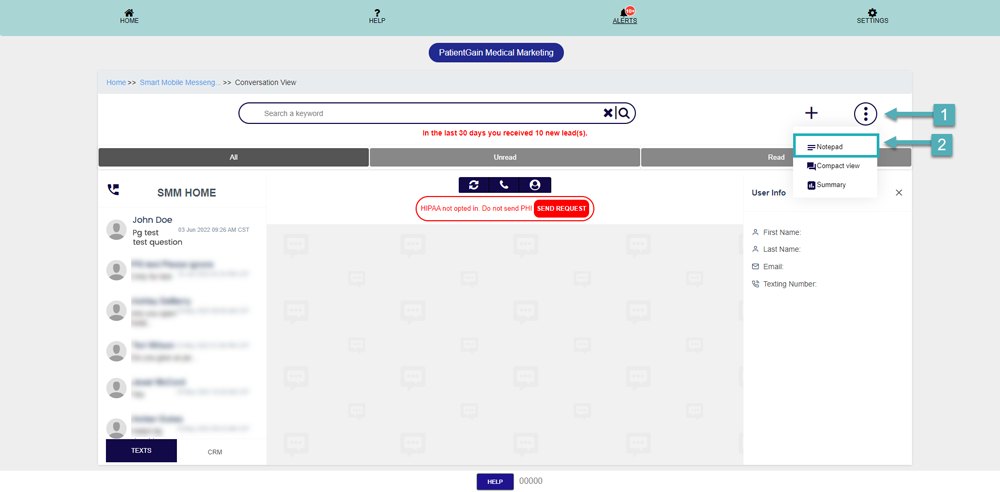
Click on the top right “Icon”, and then click on “Notepad”
Here you can add your reminder notes and then click on “Save” button.