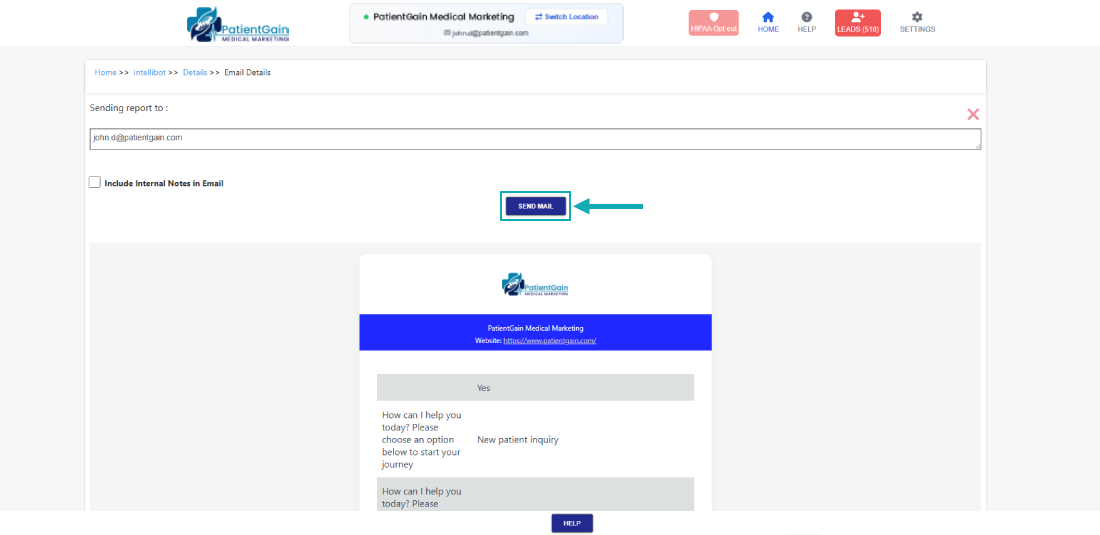
How to Check Email Details from Chatbot/IntelliBot
Check Email Details from Chatbot/IntelliBot
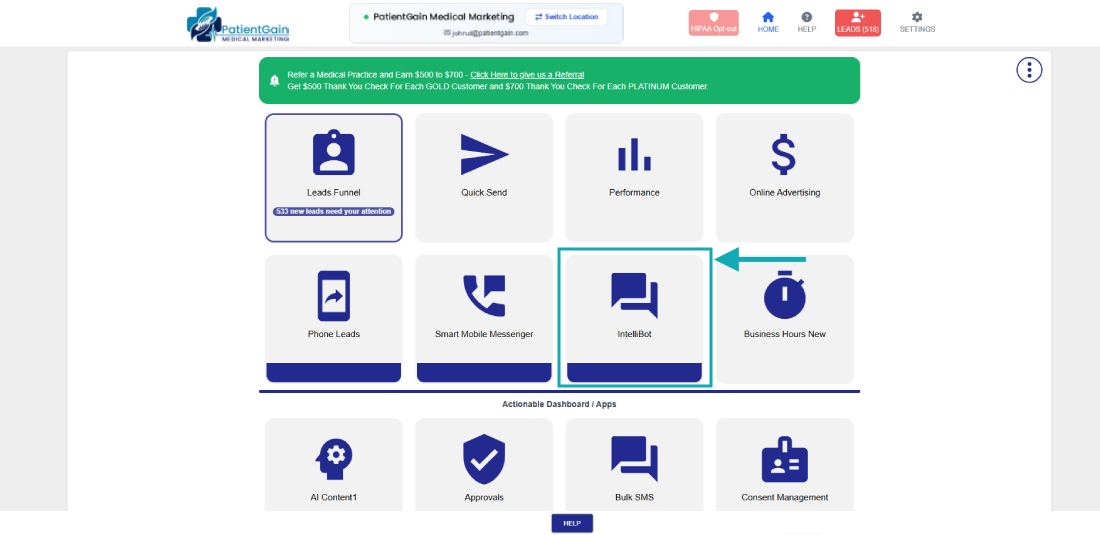
First, Login to your HIPAA Server Dashboard and Click on the “IntelliBot” app.
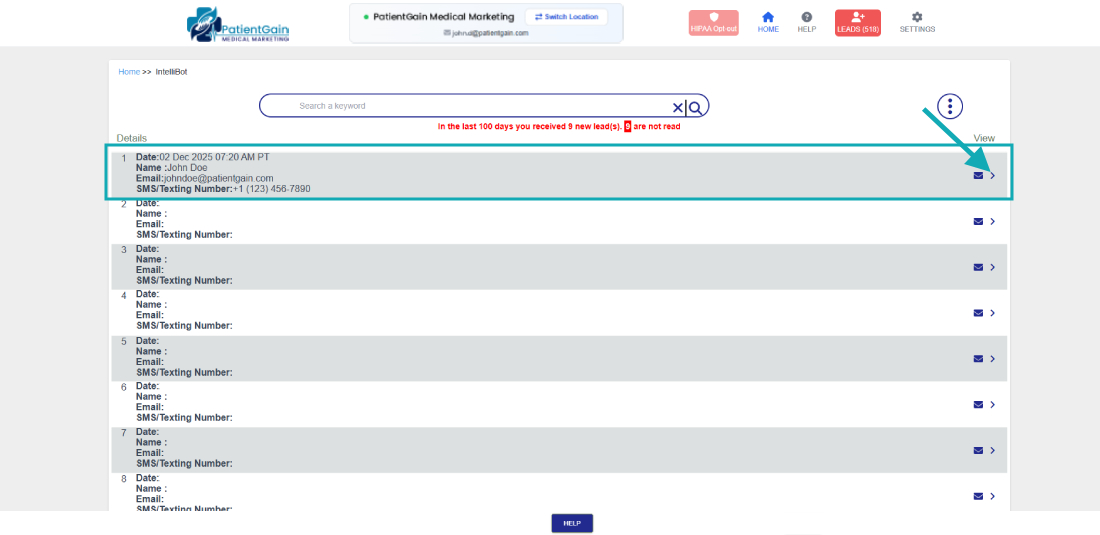
Here you can see the list, now click any one of them
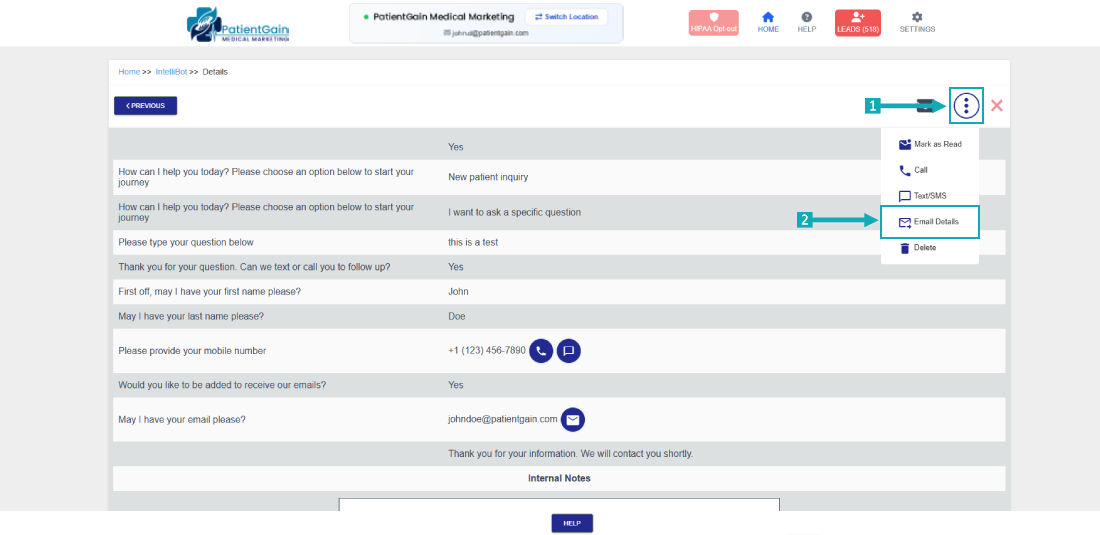
First click on the top right corner “Icon” and then select the “Email Details” option.
Here you can see the email details