How to Check Reports in the Leads Funnel App
Check Reports in the Leads Funnel App
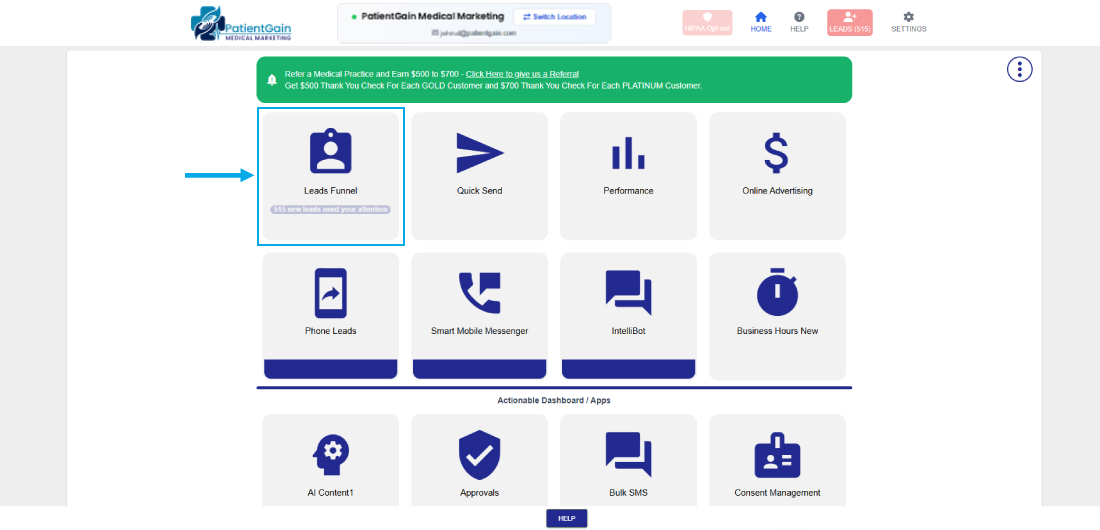
From your Dashboard click on the “Leads Funnel App”.
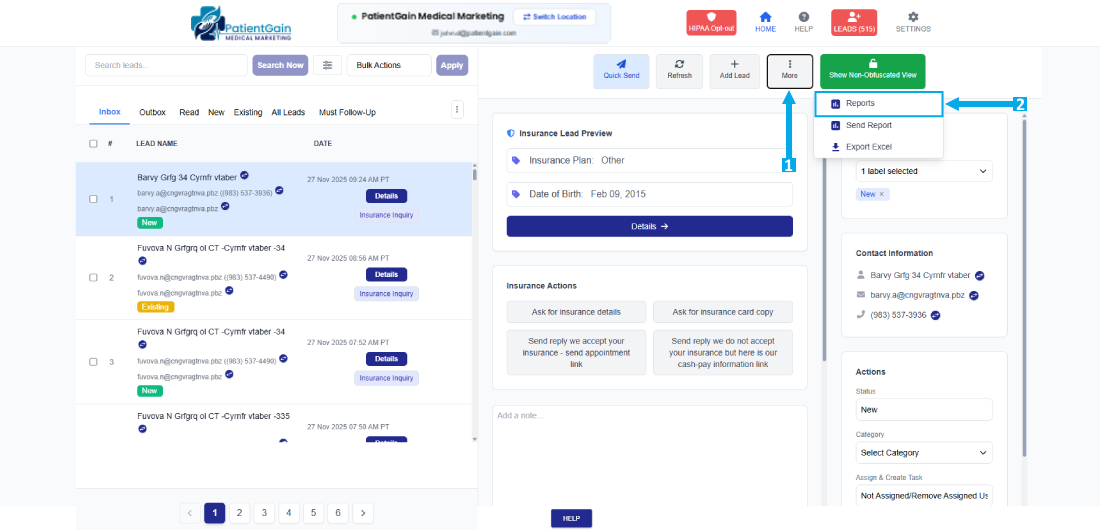
Now, click on the “More Options” icon from the top right corner and then click on “Reports”.
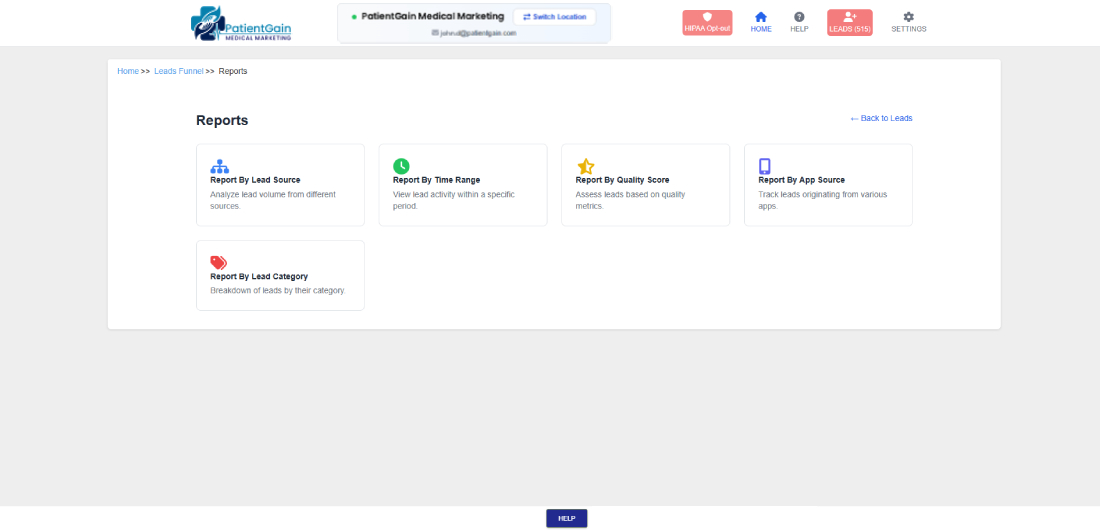
Now, You will see the following option:
- Report by Lead Source
- Report by Time Range
- Report by Quality Score
- Report By App Source
- Report By Lead Category
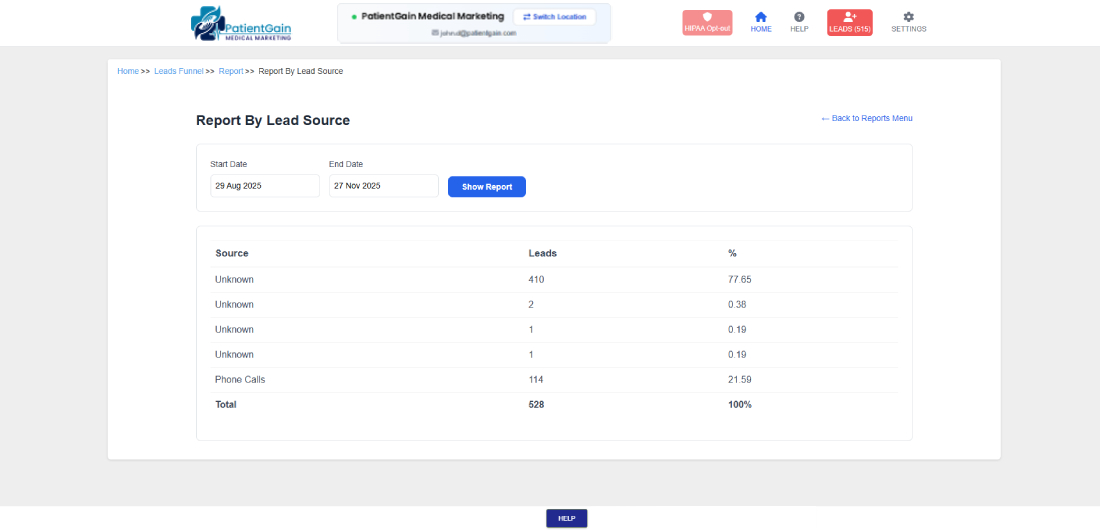
1. Report by Lead Source
In this report – You can see the total number of leads you gained from different sources. For e.g. if you are running google ads then you can see, how many leads you have collected from Google-PPC.
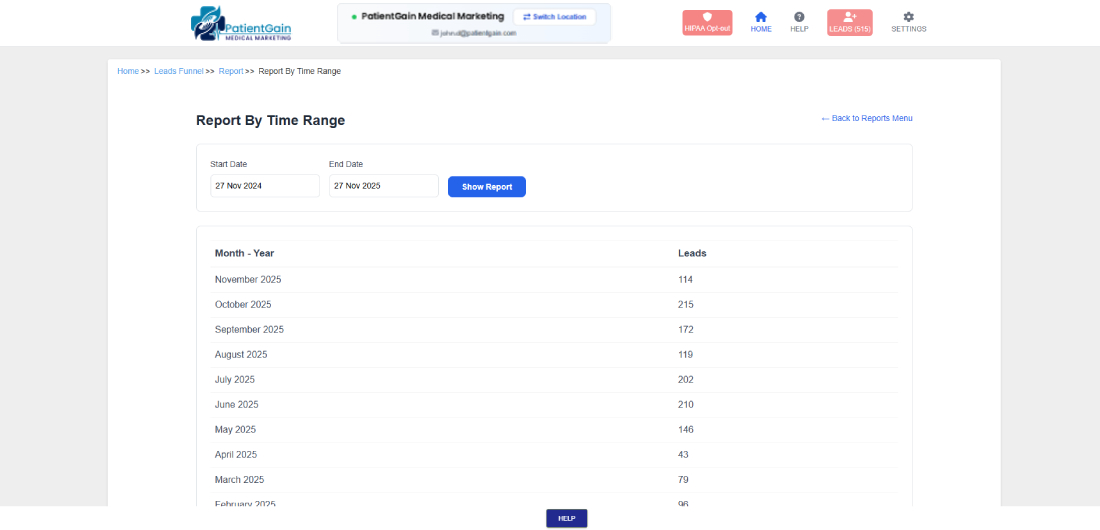
2. Report by Time Range
In this report – You can see the total number of leads you collected in each month.
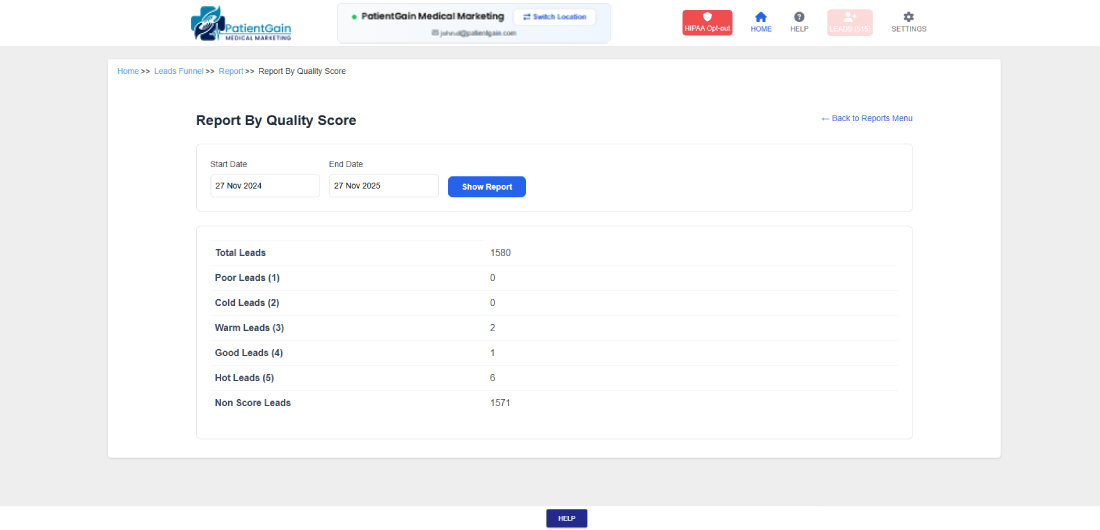
3. Report by Quality Score
In this report – You can see the total number of leads you have collected in each Score (for e.g. Warm Leads, Hot Leads, Good Leads, Cold Leads).
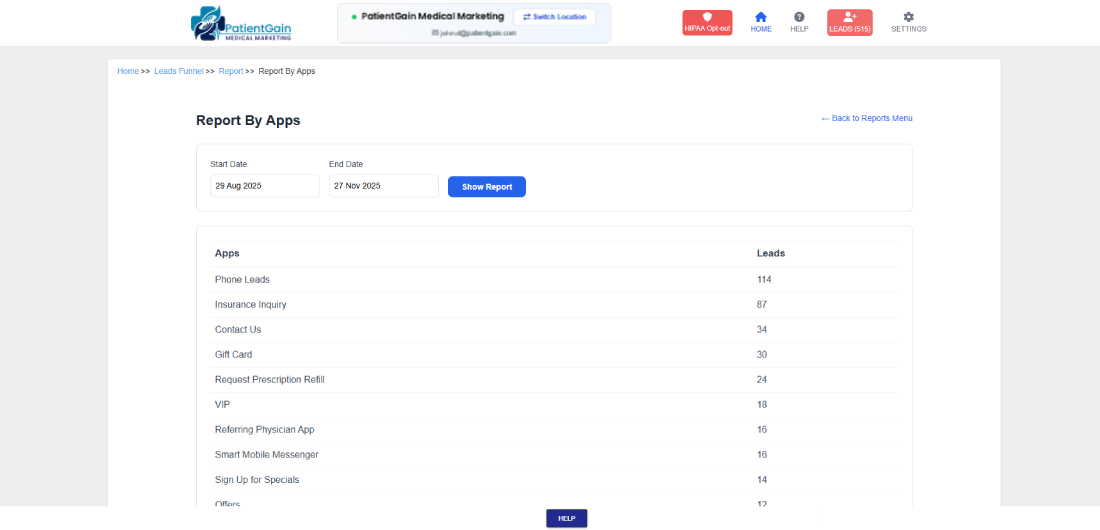
4. Report By App Source
In this report – You can see the leads coming from each app.
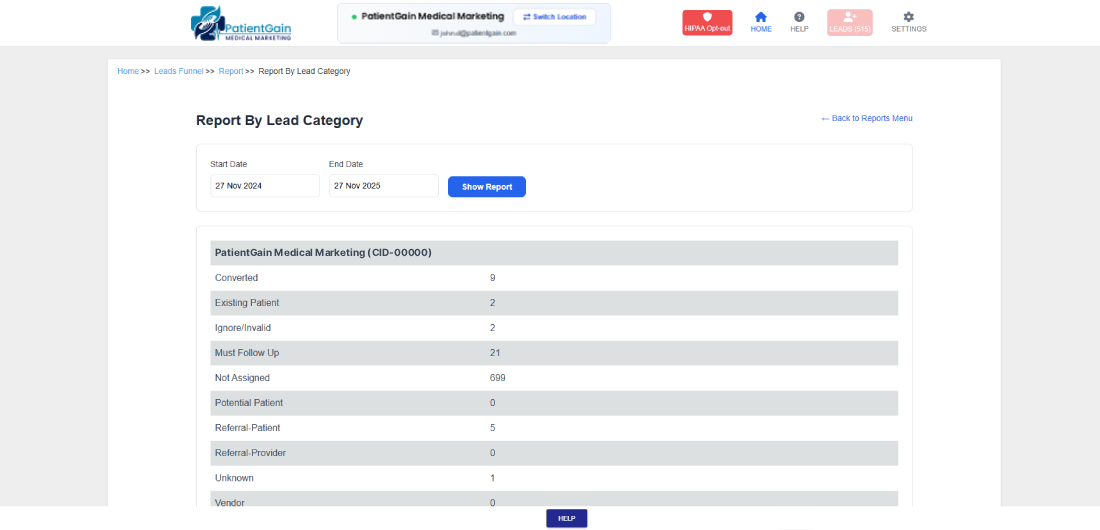
5. Report By Lead Category
In this report – You can see the leads according to lead Category.