
How to Link Your Instagram Account with Facebook Page
Link Your Instagram Account with Facebook Page
Login to Facebook account. Go to facebook page
Open a new Private/Incognito window in your browser (for e.g. Google Chrome or Firefox, etc)
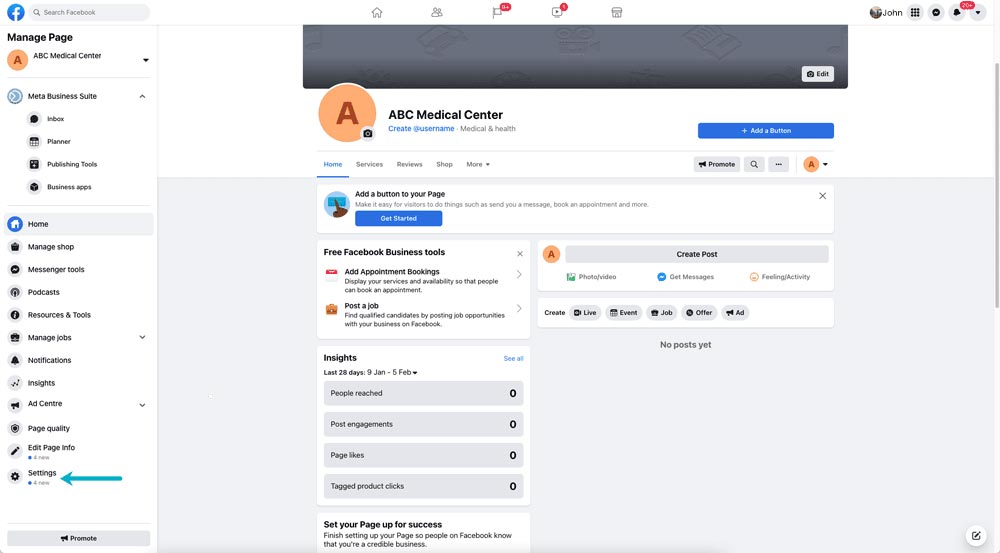
1- Go to Setting
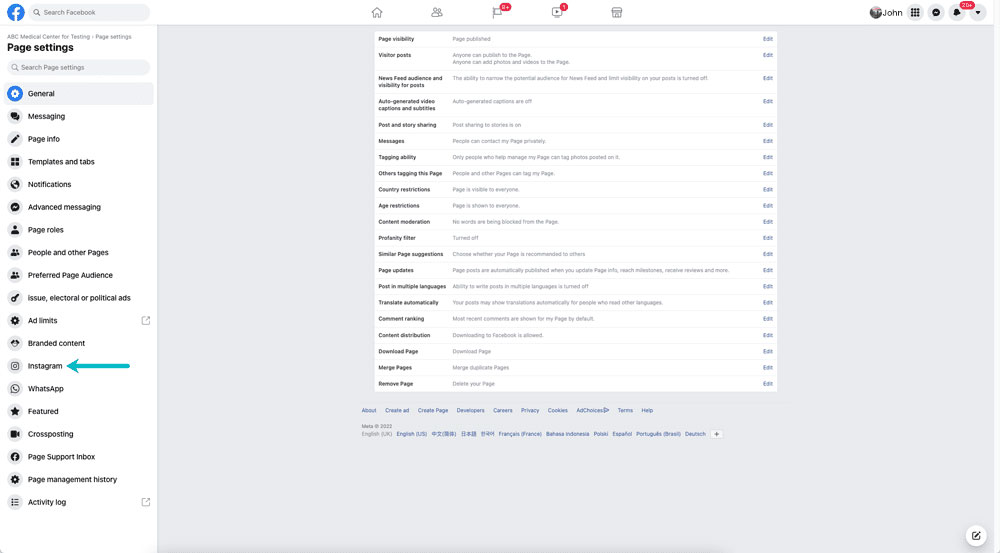
2- Click on Instagram tab
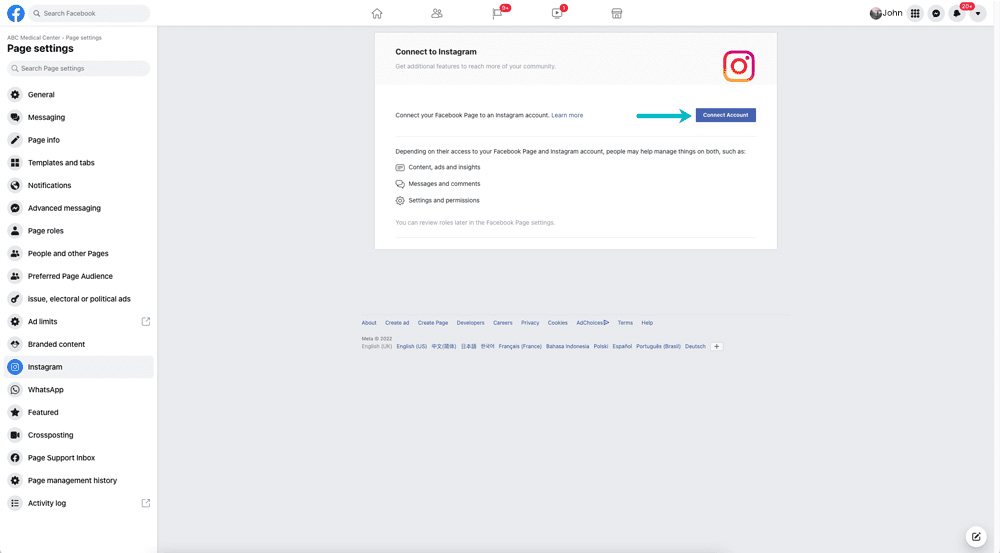
3- Click on “Connect Account”
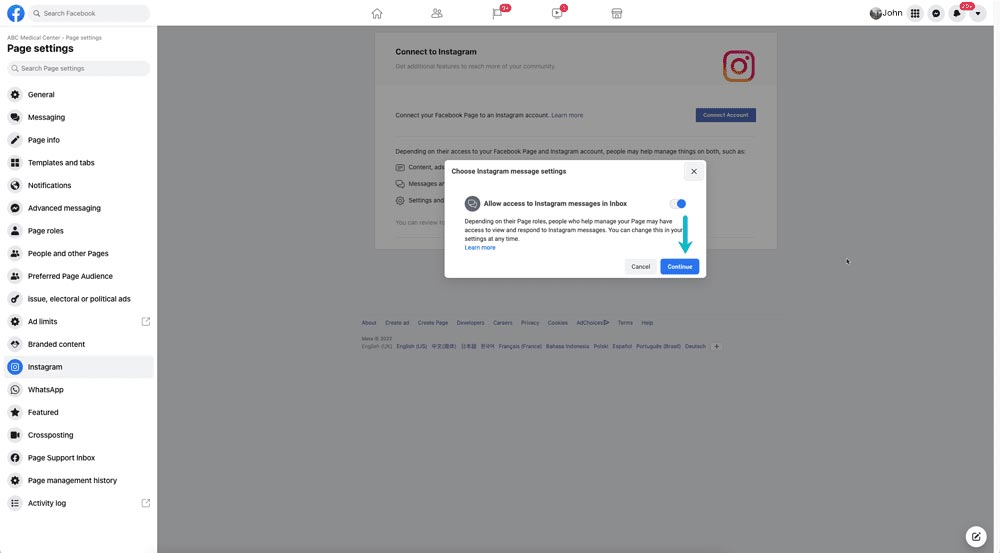
4- After Clicking on “Connect Account” button, now click on “Continue” button
Add your Instagram login information here
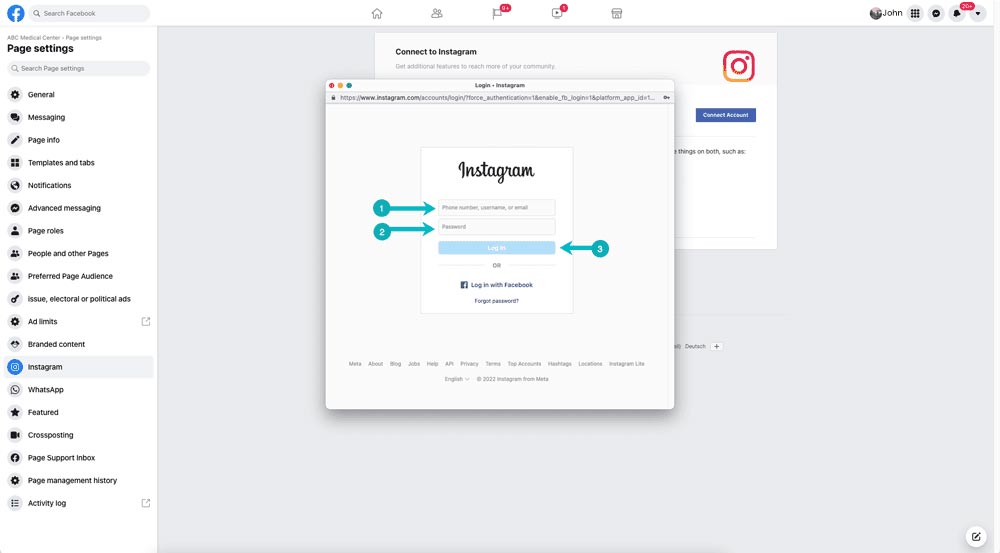
And now hopefully your Instagram account will connect with Facebook page
