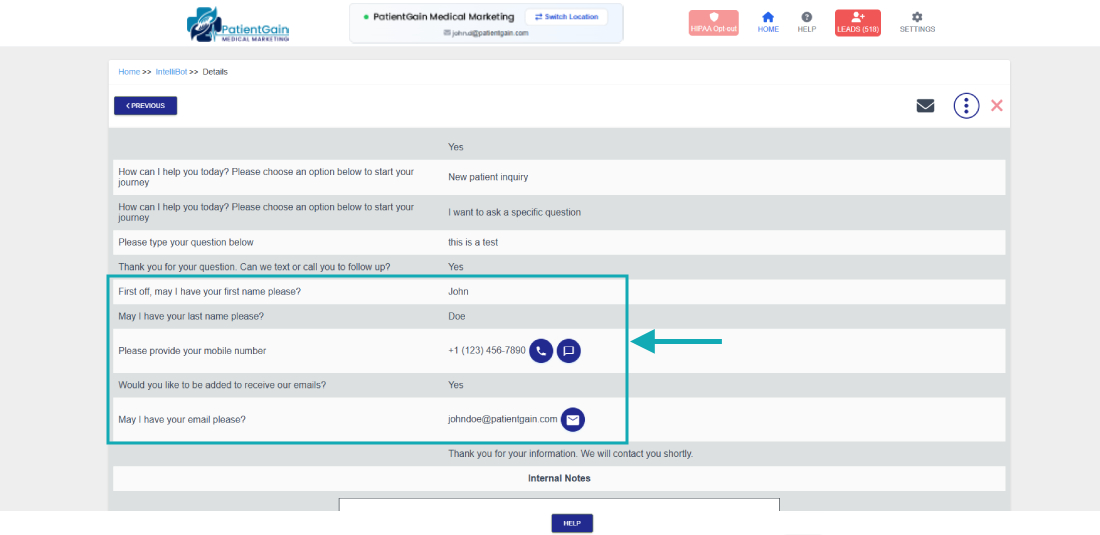
How to Check Leads From Chatbot/Intellibot app
Check Leads From Chatbot/Intellibot app
ChatBot app allows your potential or existing patient/client to ask a question and get a follow up from you.

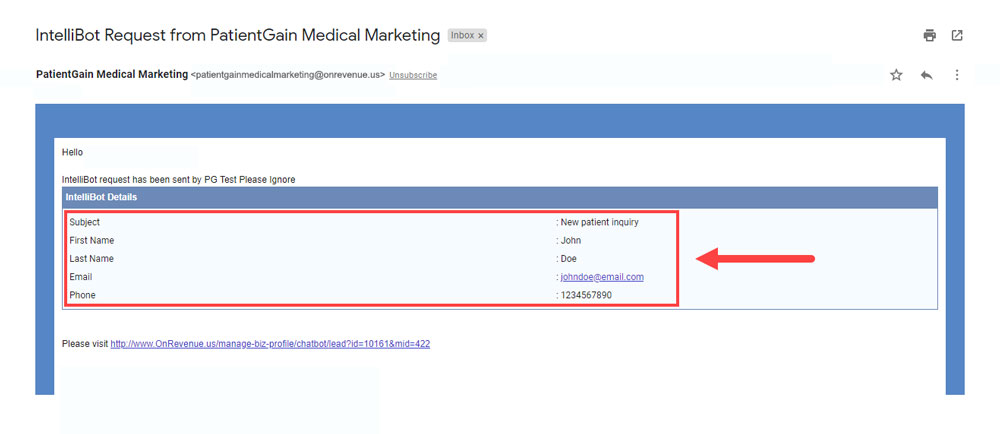
Once they submit their question/request, you will receive an email alert as seen below:
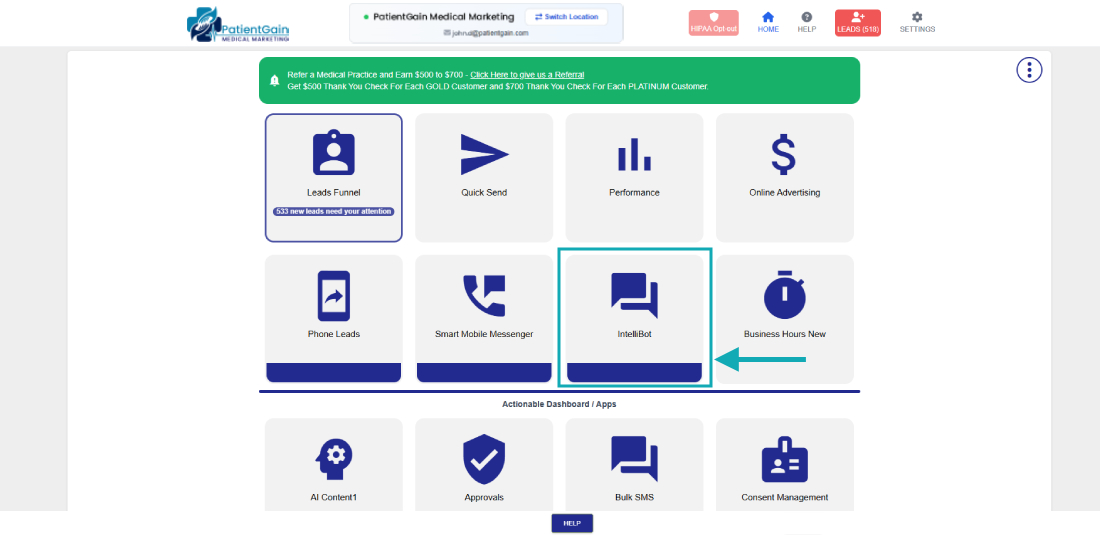
Once you receive the alert, login into the HS2 dashboard, Click on “IntelliBot Icon” to view and read message details.
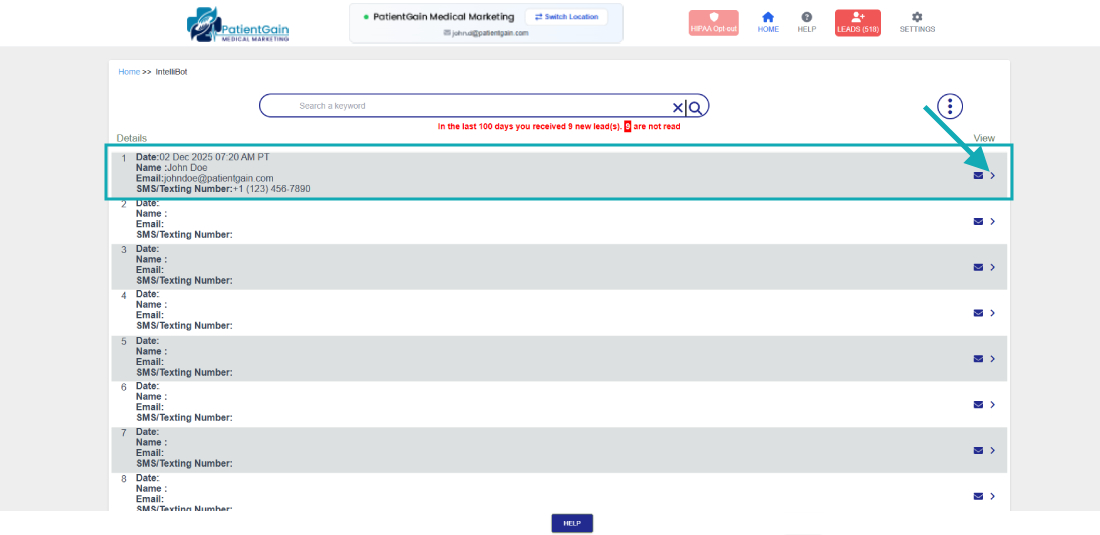
Here you can see the lead list – click to view lead details.
Follow up with the lead with their provided contact information, leave notes/updates of lead status.