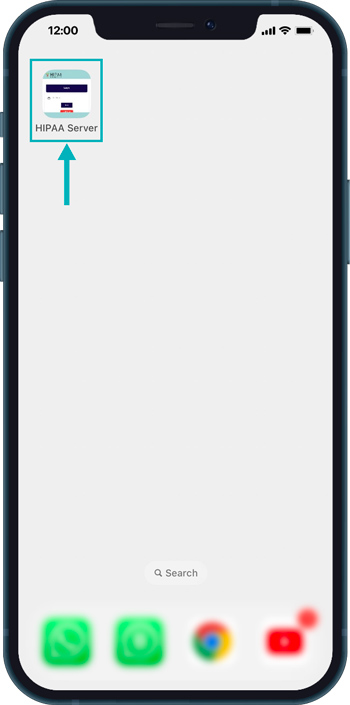
How to Add HS2 Dashboard to Home Screen
Add HS2 Dashboard to Home Screen
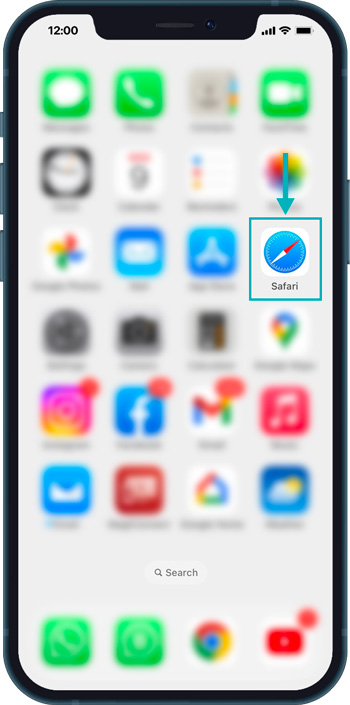
First, Open Safari on your Phone.
Open a new Private/Incognito window in your browser (for e.g. Google Chrome or Firefox, etc)
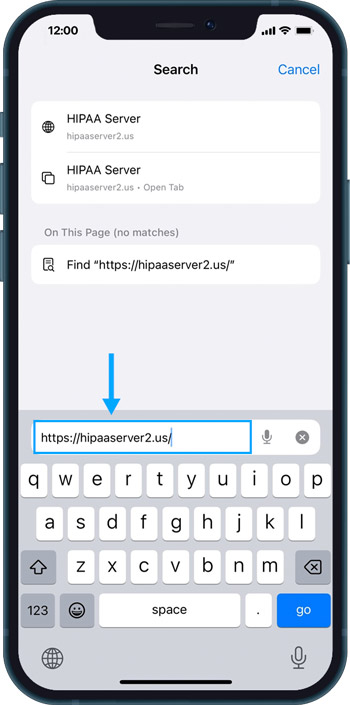
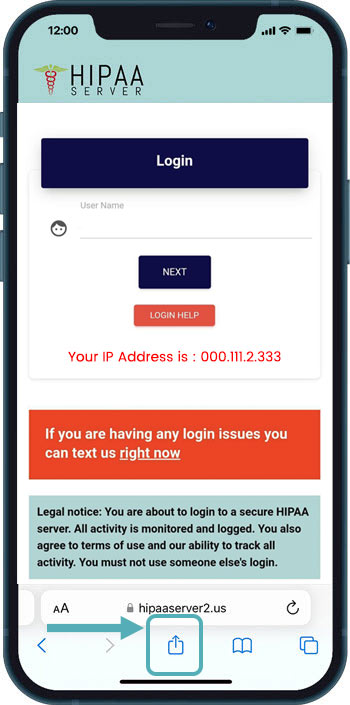
Then, Enter the URL www.hipaaserver2.us and Press Go on the Keypad.
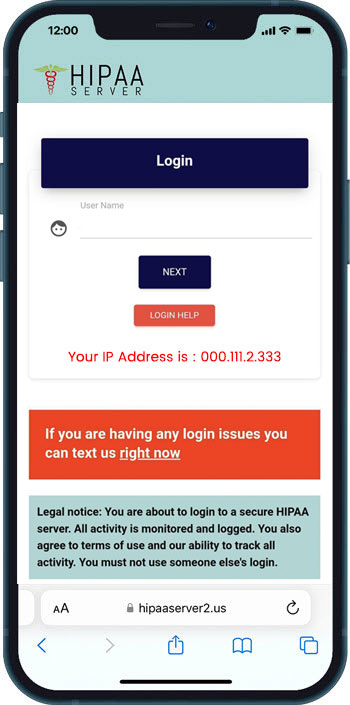
Then, click on the bottom center icon.
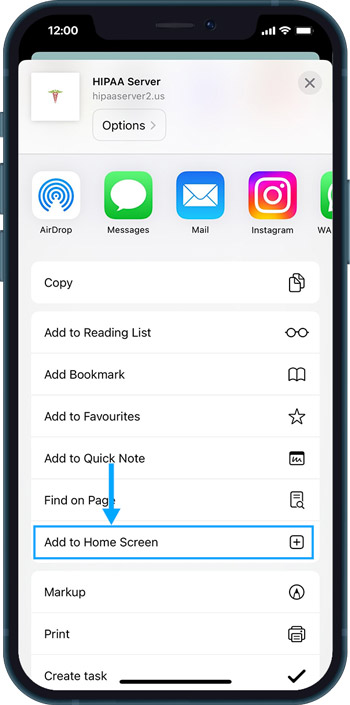
Now, click on the “Add to Home Screen” button.
Then, click on the “Add” from top right corner.
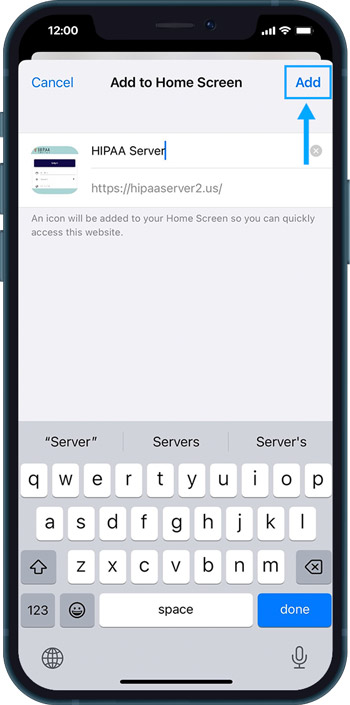
Then the Icon will be added on the Home Screen.