How to Check Web Leads in HIPAA Server 2
Check Web Leads in HIPAA Server 2
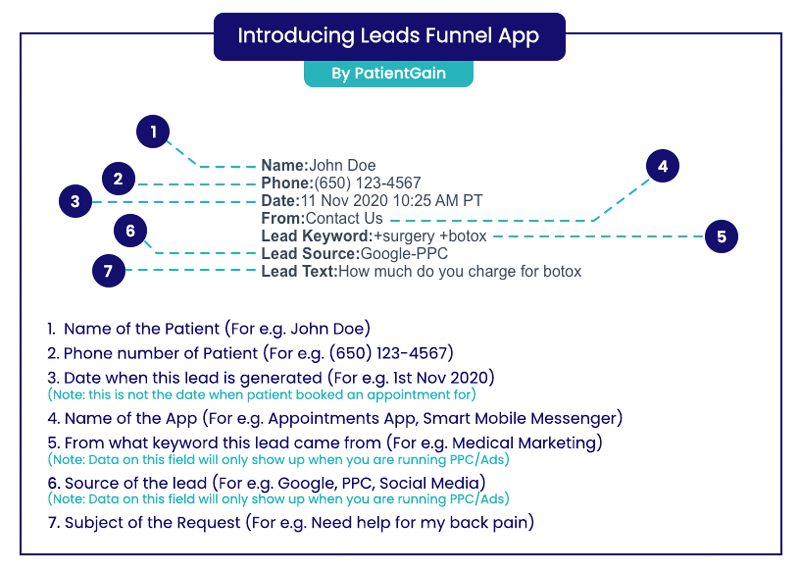
You can check the Leads using 2 options:
How to Check the Leads using Notifications App (Option 1)
From your Dashboard click on the “Leads/Bell icon” from the top header menu.
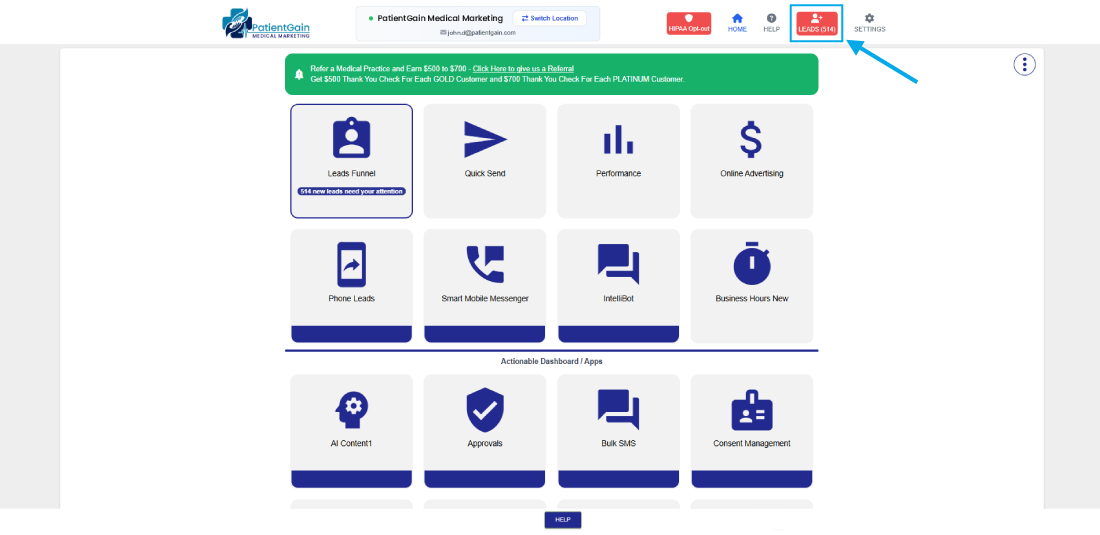
This will take you to the leads funnel where you will see the list of all the leads from different apps.
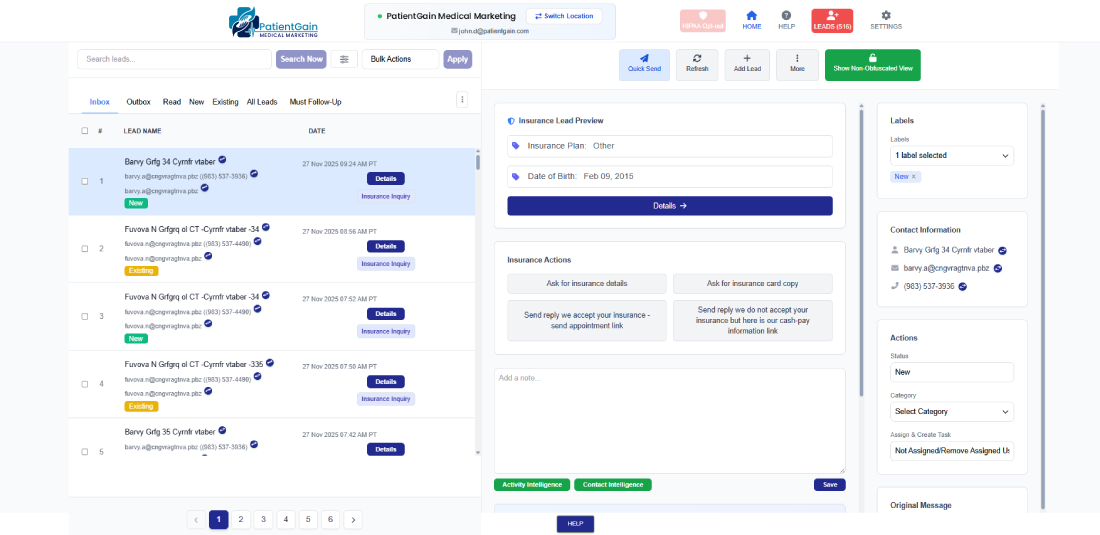
Then, Click on the lead you want view the details.
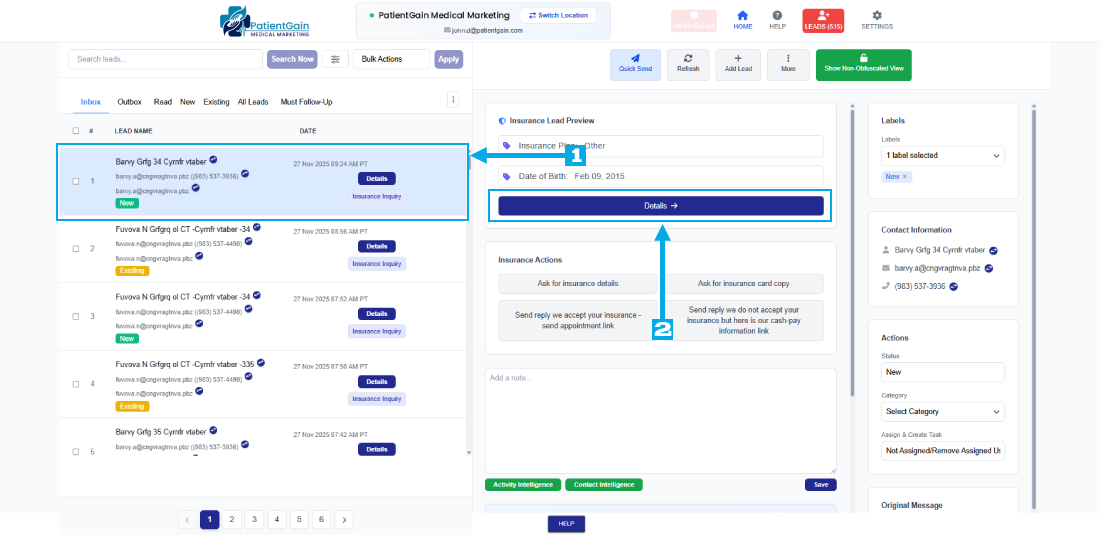
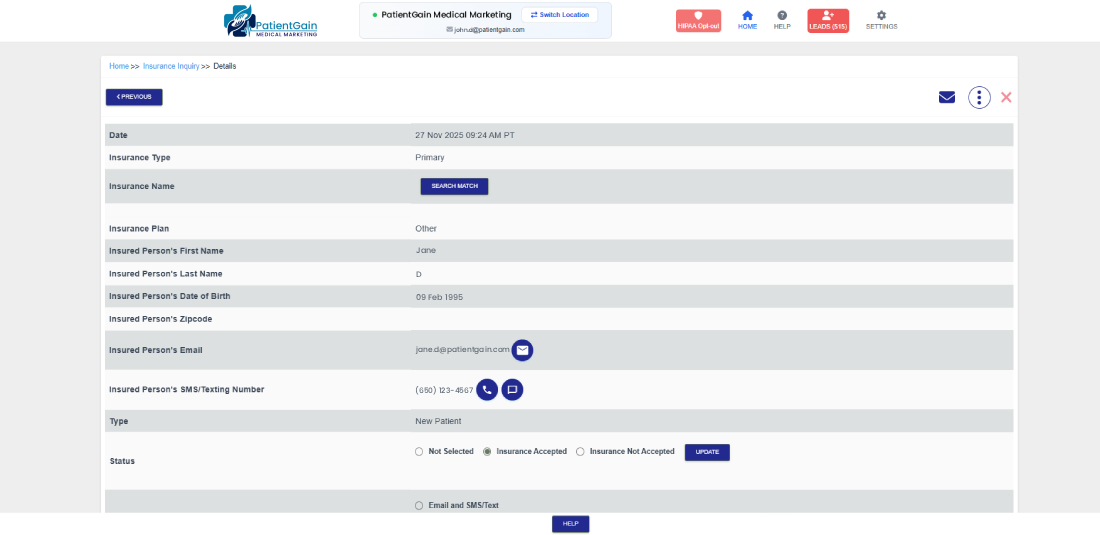
Now, You will see all the details of the lead on the details page.
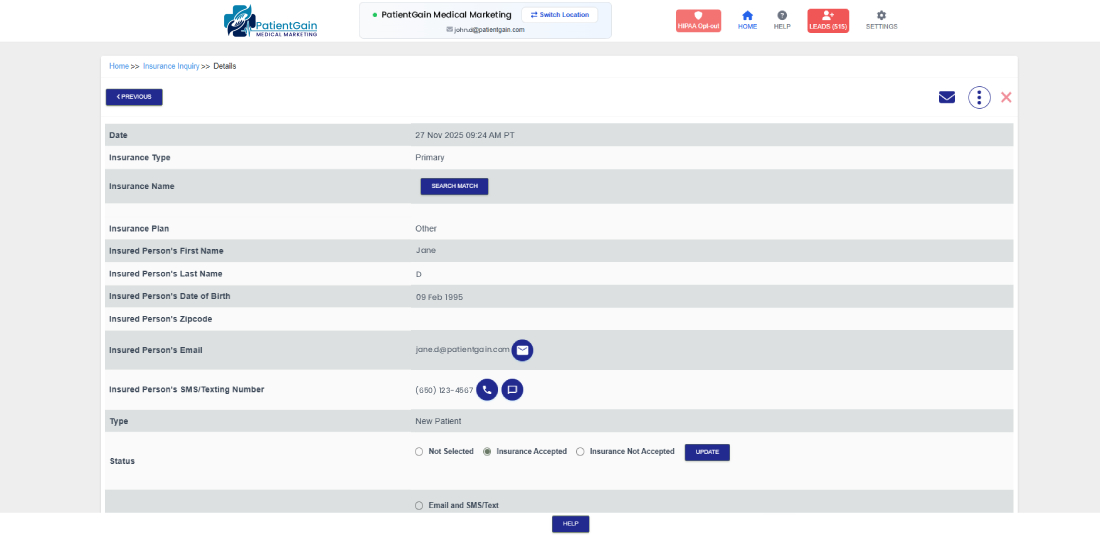

How to Check the Leads using Leads Funnel App (Option 2)
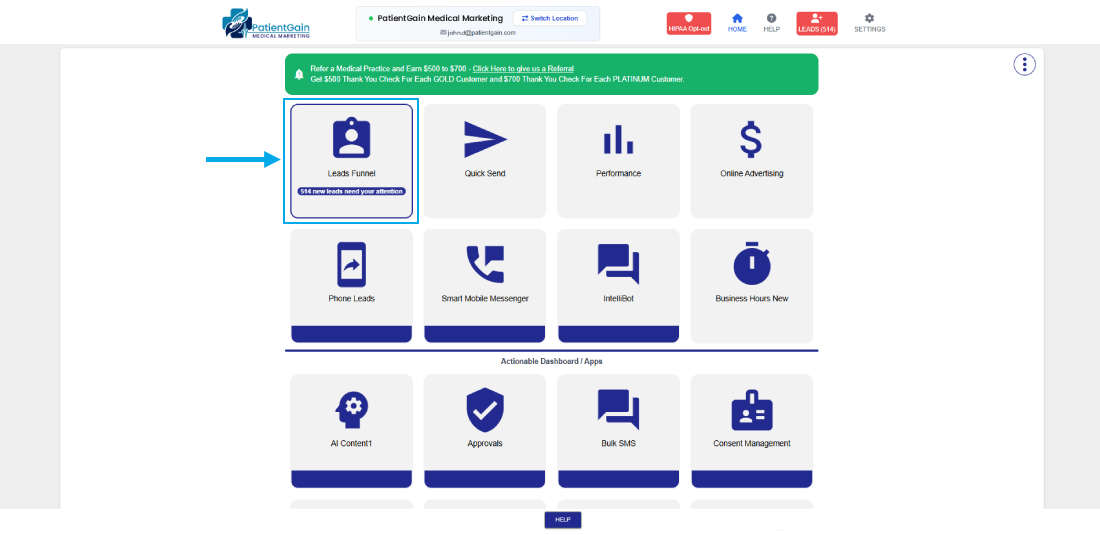
From your Main Dashboard click on the “Leads Funnel” app icon.
Now, you will see the list of all the leads from different apps.
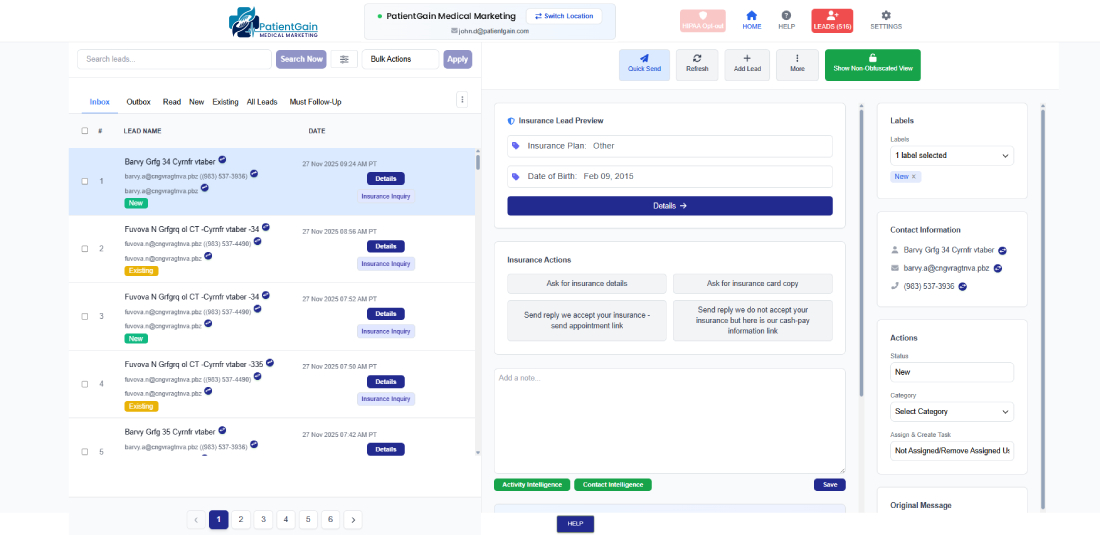
Then, Click on the lead you want view the details.
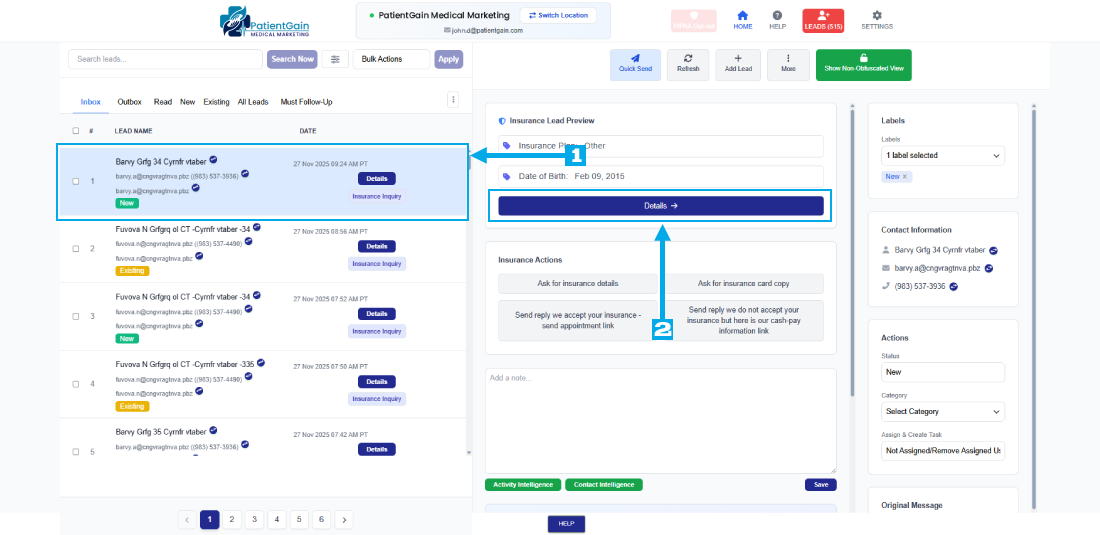
Now, You will see all the details of the lead on the details page.