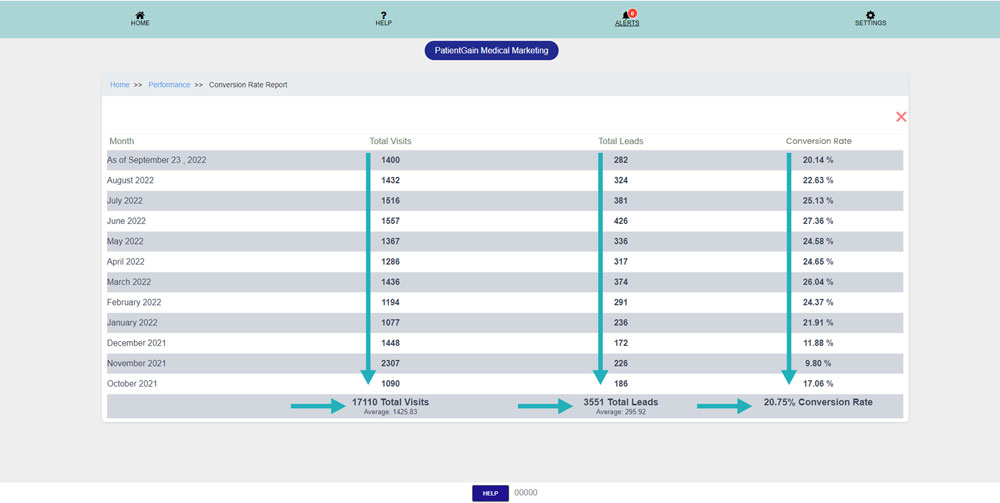
How to Check Conversion Rate Report
Check Conversion Rate Report
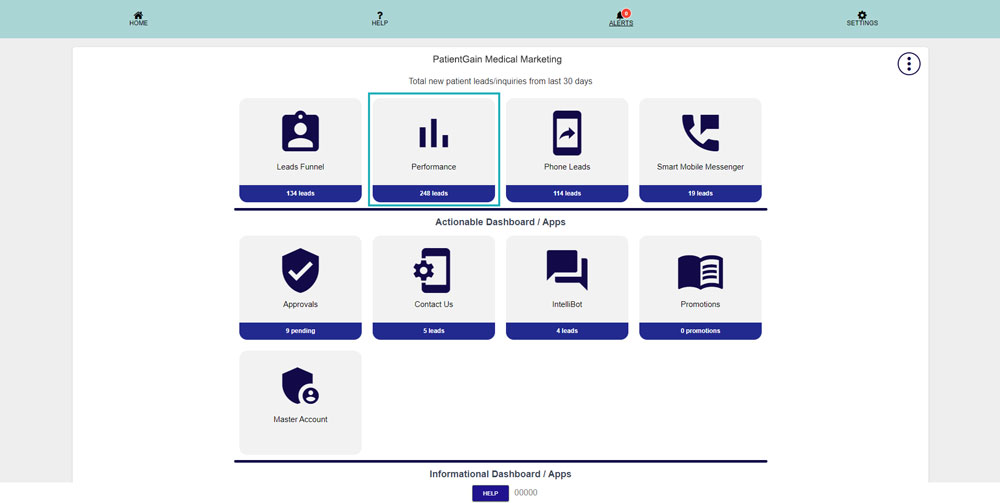
First, Login to your HIPAA Server Dashboard and click on the “Performance” app.
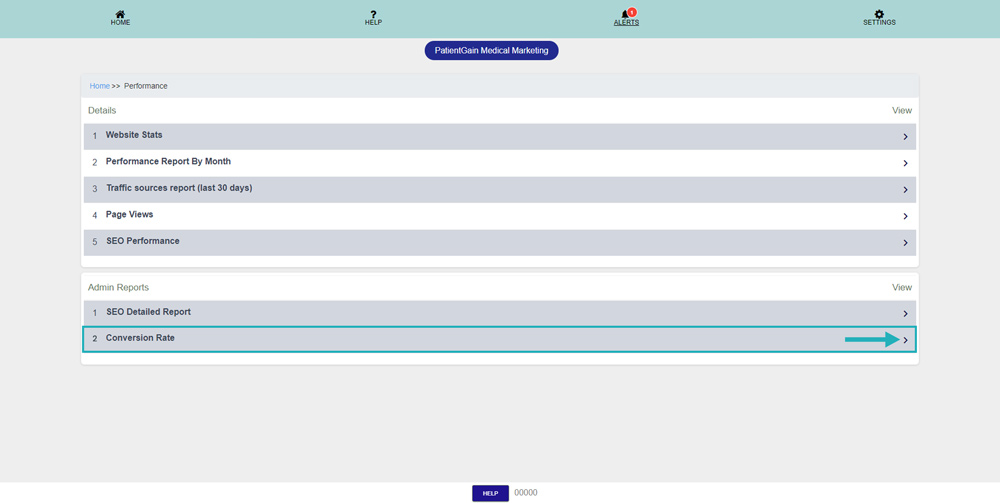
Then click on the “Conversion Rate”.
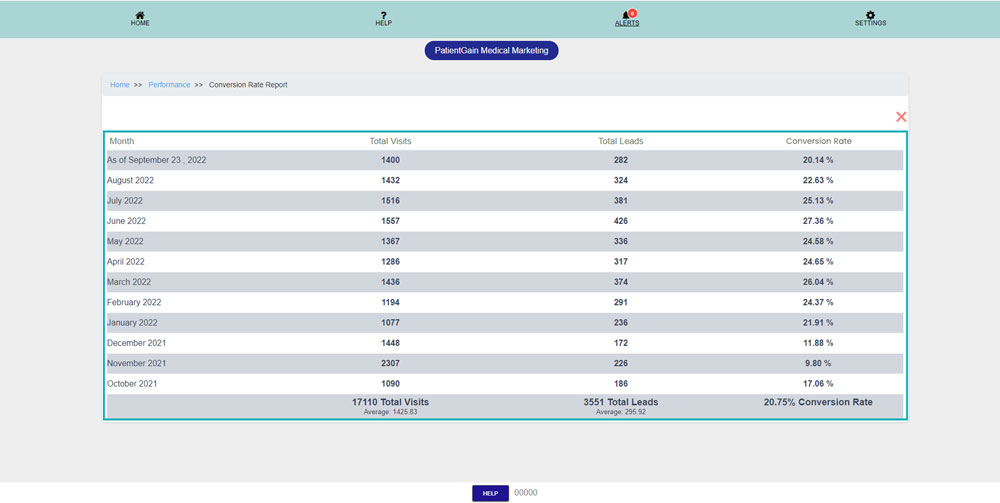
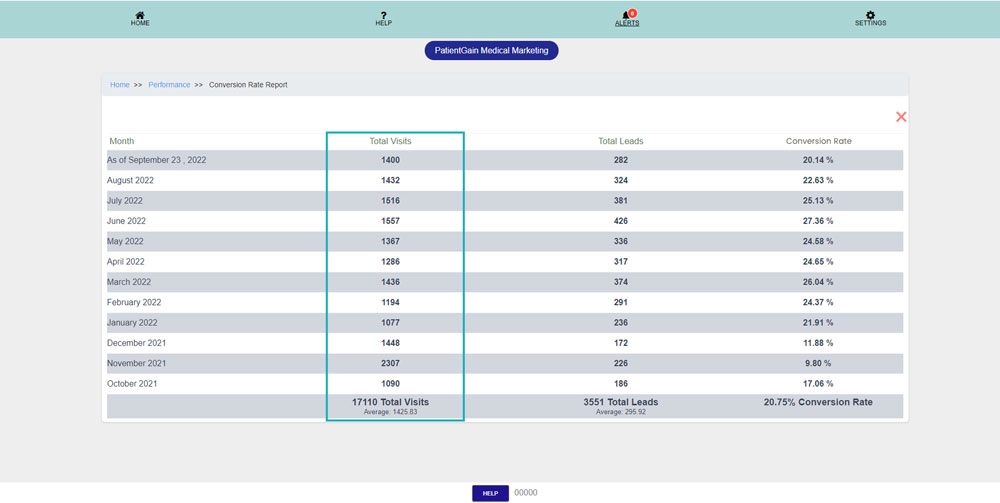
From here you can see the conversion rate data of each month.
The data in this column shows the “Total Visits” on the website per month.
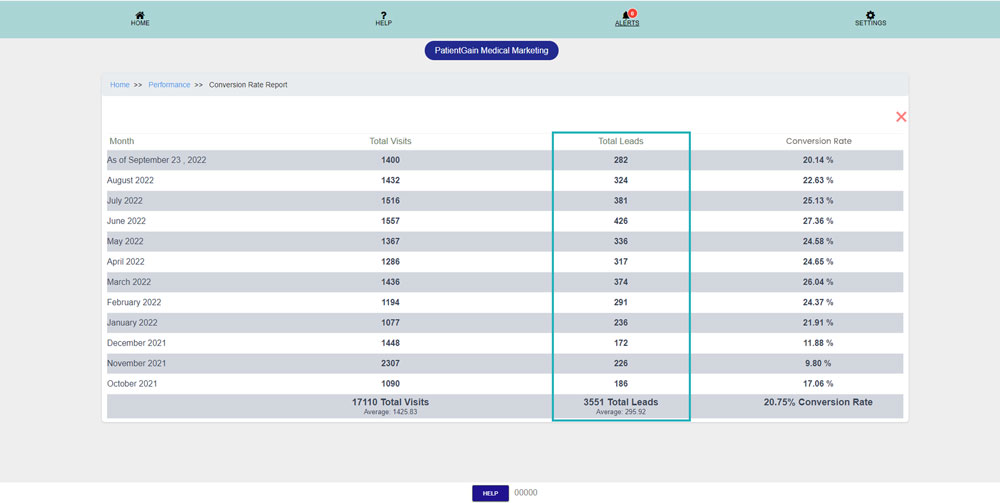
The data in this column shows the “Total Leads” of the website per month.
The data in this column shows the “Conversion Rate” of the website per month.
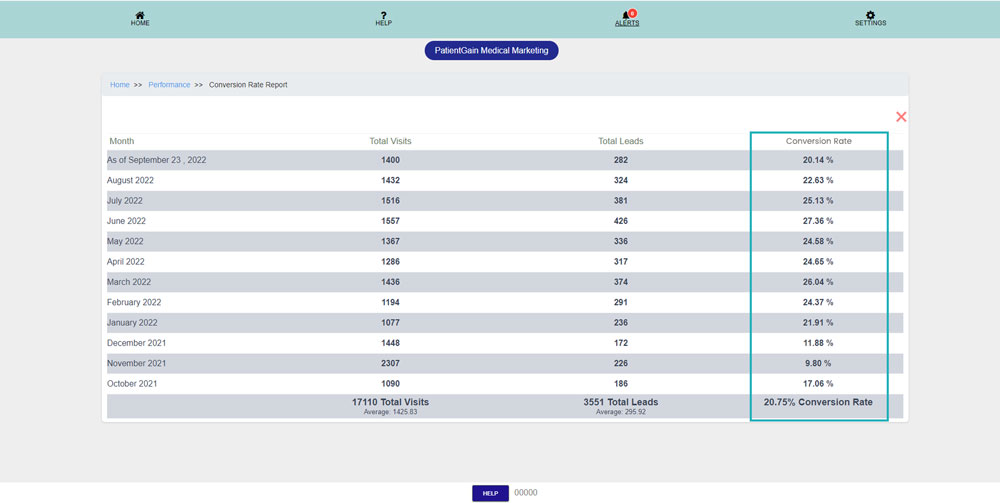
The data at bottom shows the average values accordingly.